
✍️ Last updated: September 30, 2026
In this post, I want to share at length and walk you through how I actually use Heptabase this note-taking app day to day. I happen to be a bit of an oddball — while everyone calls Heptabase a “Zettelkasten / card-based note-taking app,” I deliberately approach it from different angles for completely different use cases. I hope you, my serious reader, will fall in love with this note-taking app the way I did 💖(This is the very first article I ever wrote in my life — anyone who reads it will find a lucky coin on the ground tomorrow XD)
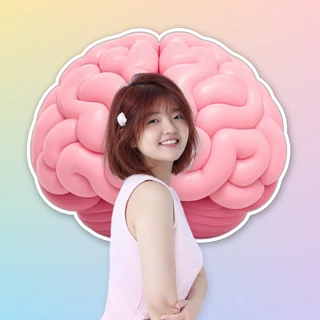
I promised to record a free course for you, and it’s finally ready! You can even watch how hundreds of students use the software!《7-Day Heptabase Workshop: Build Your Knowledge Base From Scratch》❤️
Changelog
• 2024/06/03 Compressed image sizes & added a lightbox effect • 2025/10/22 Replaced all blurry photos with sharp versions & updated every use case • 2026/05/13 Added an individual anchor link to each use case so readers can jump straight to the part they wantFirst, let me give you a quick intro — what is Heptabase?
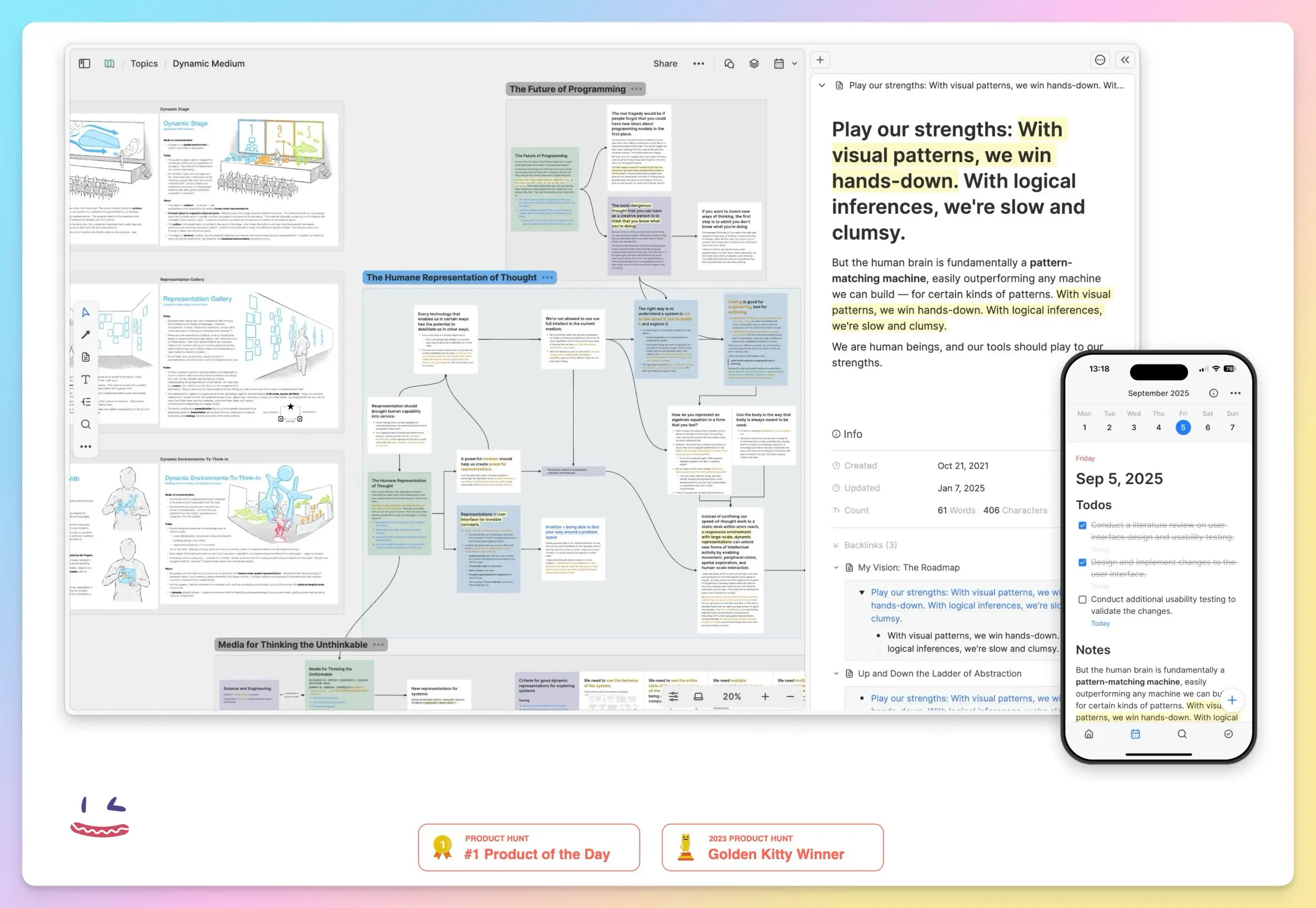
Heptabase is a productivity-boosting digital note-taking tool. It helps you turn all of your knowledge and information into the smallest possible granular cards, apply them visually, and think deeply. Heptabase’s entire UI/UX design is beautiful, simple, clean and intuitive — it folds in every element you actually need for note-taking while stripping out the clutter, so you can get up to speed in the shortest possible time.
Heptabase was actually built by a Taiwanese developer! The founder is Alan Chan (Chen Yu-an) , who was only in his early 20s back in 2023 — seriously impressive! Down the road I’ll turn all the Heptabase basics into tutorial articles & videos and share them with you.
Why does everyone call Heptabase a Zettelkasten / card-based note-taking app?
The Zettelkasten method has a few core ideas:
- Break knowledge down into granular pieces and record them
- Each card holds only one context
- Externalize your brain into a second brain
- Take notes in your own words
- Save a huge amount of note-taking time
And since Heptabase’s smallest note unit is “a single card,” the card concept lines up perfectly with the core of the Zettelkasten method — which is exactly why people put an equals sign between Heptabase and card-based note-taking.
No Chinese version yet
Sadly, Heptabase hasn’t been localized into Chinese yet 😥 — the interface is all in English!Side note: everyone jokes that an app invented by a Taiwanese founder somehow doesn’t even have a Chinese version yet 😭
⚠ But don’t worry, my dear readers — I’m someone who started learning English in kindergarten and STILL failed it, yet this software is incredibly friendly even to people who don’t speak English at all. You can pretty much use it on pure human intuition, so don’t give up — keep reading with me~
The official site has a full Chinese wiki tutorial
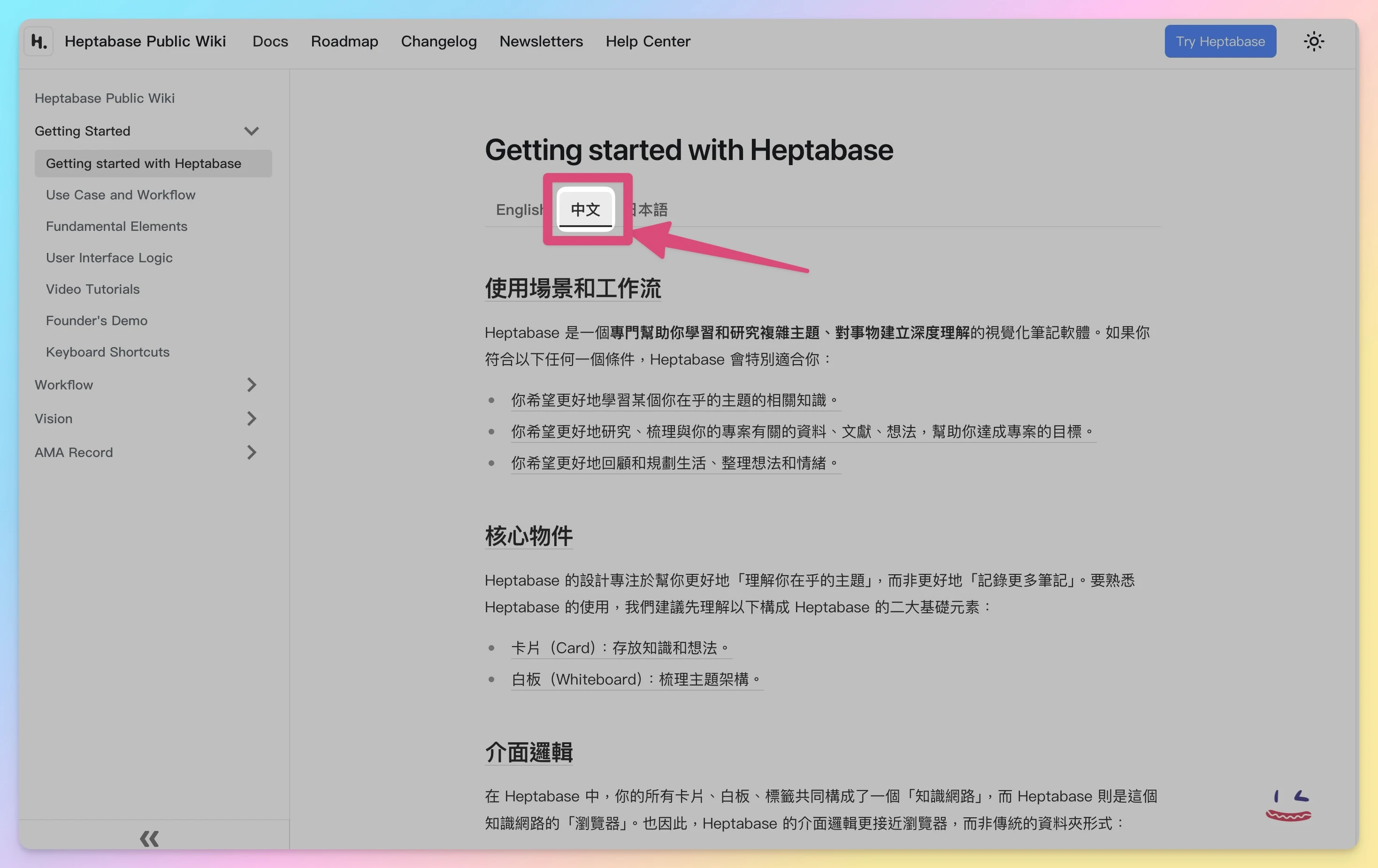
Heptabase Wiki In the middle of the official wiki there’s a “switch this article to Chinese” button — remember to click it when you read! You can also just use Google Translate to read everything, that’s what I do~ 😋
How long does it take to build a second brain with Heptabase?
From my own testing, less than 1 month! I only became a user on 2023/09/01, and within that single month I had pulled all the data in my head, all the knowledge I’d saved scattered everywhere, and even a ton of files on my computer, into Heptabase all of it!
By month 2 I was already fluent and had basically dumped my entire life system into it, and by month 3 I had started teaching other people how to use this tool.
10 must-learn new ways to use Heptabase
These ten use cases are the ones I share with friends everywhere — and everyone I show them to gets instantly hooked1 on them. One of them, the “vision board” use case, even got featured on the official Wiki & newsletter and shared with users around the world. So I absolutely have to share them all with my readers, holding nothing back2 — here we go!
That said, due to article length, I’ll cover the use cases you love most in detail with dedicated articles & video tutorials in the future. If you want me to share a tutorial topic sooner, head over to Xiaochang’s IG and make a wish!
🎁 Thank you for reading this far! I've prepared free resources for you ⬇
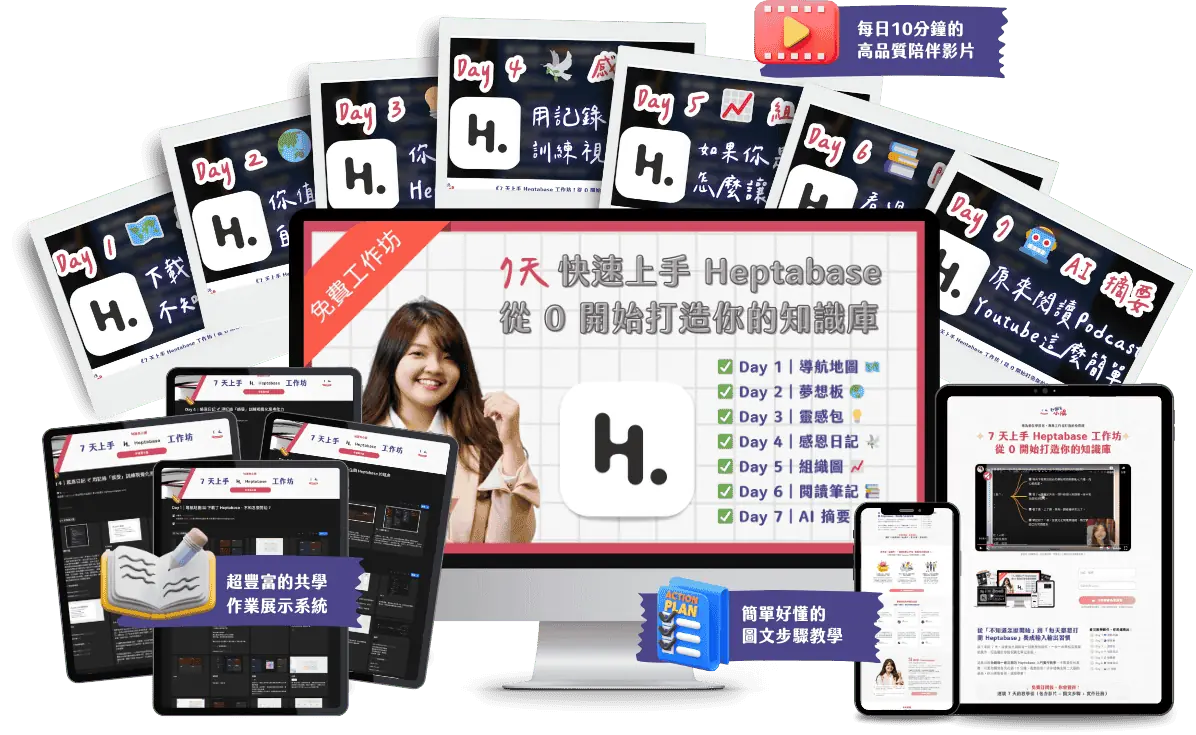
I'm giving you the 《Heptabase 13 Application Scenarios Inspiration Pack: Break Your Imagination!》 worth over $899~
《7-Day Heptabase Workshop! Build Your Knowledge Management System from Scratch》
This is a free online course I spent an entire month creating. Simply complete the 7-day workshop and follow the steps to finish assignments, and you'll completely transform your note-taking method and build your own Second Brain!
I'll guide you hand-in-hand (videos + text) to complete daily tasks:
- ✅ Day 1 Navigation Map
- ✅ Day 2 Dream Board
- ✅ Day 3 Inspiration Pack
- ✅ Day 4 Gratitude Journal
- ✅ Day 5 Organization Chart
- ✅ Day 6 Reading Notes
- ✅ Day 7 AI Summary
#1 Second Brain Database
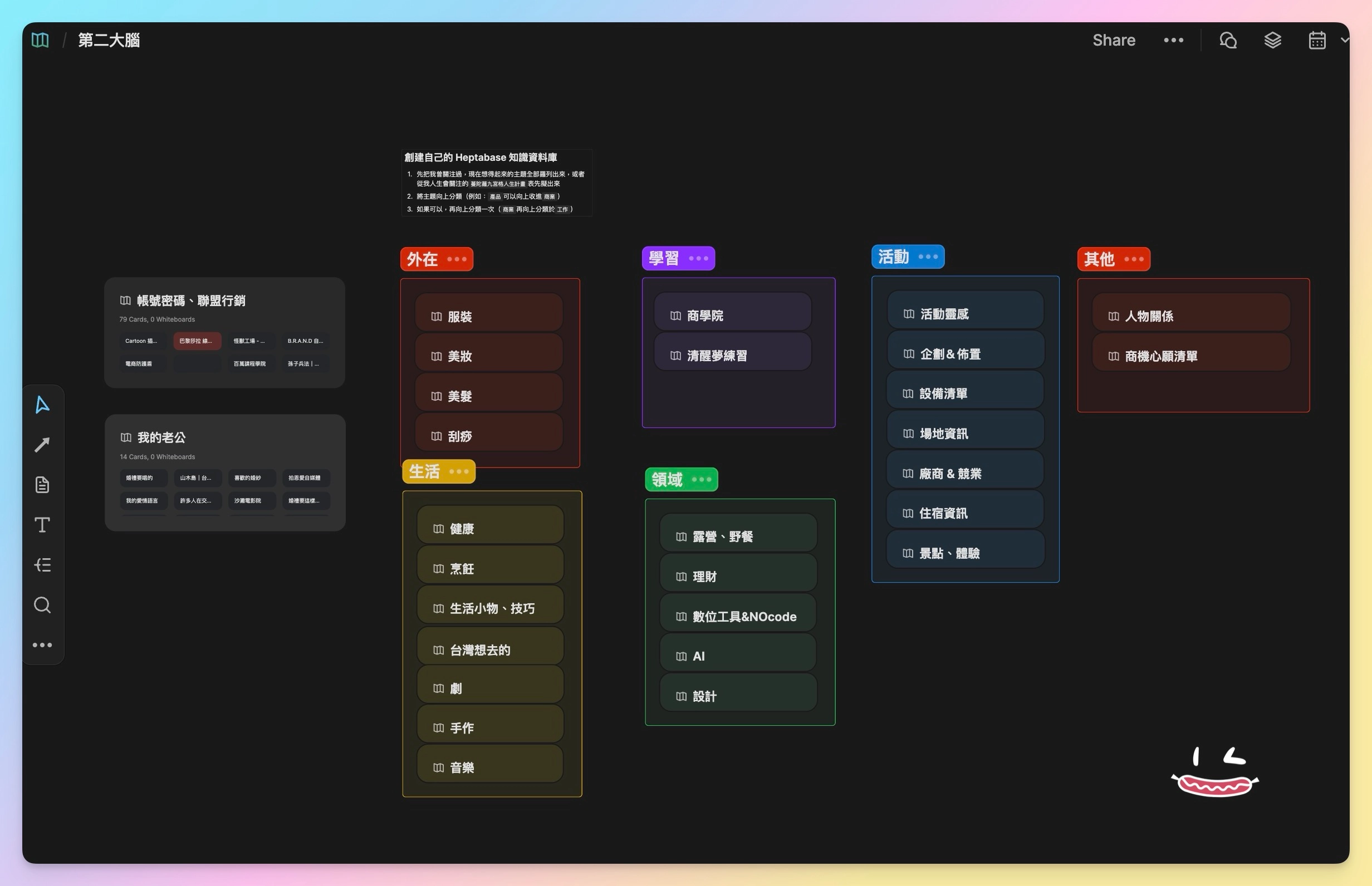
On this whiteboard I drop in all kinds of information I collect from everywhere. The concept is “hierarchical storage” — picture a room with lots of drawers, and opening a drawer reveals the matching contents inside; or think of it like the nested folders inside your computer’s file manager.
Current contents include:

- Appearance
Hair, clothing, makeup — whenever I want to tie up my hair, I just open it up to see what options are in my head.

- Learning
Topics I dig deep into and am genuinely interested in: personal growth, business school, entrepreneurship.

- Life
Health, cooking, lifestyle gadgets, Taiwanese food, dramas, crafts — anything a friend recommends gets dropped in here; the health section even has workout videos.

- Domains
Camping & picnics, personal finance, digital tools, AI — campsites, camping gear and useful digital tools all go in.

- Events
Since I run an events company~ this info gets used a lot: event inspiration, planning & setup, equipment checklists, venue info, vendors & competitors, accommodation info, attractions & experiences.

- Accounts, passwords & affiliate marketing
I have a goldfish memory, so I throw in the logins for the many courses I’ve bought, affiliate marketing URLs, and all sorts of email accounts and passwords.
The blurry images are just my private stuff that I don’t want you to see too clearly, haha — sorry about that! And the dark-mode screenshots are because I later switched to using Heptabase in dark mode, to protect my eyes!
#2 Solo-Business Database
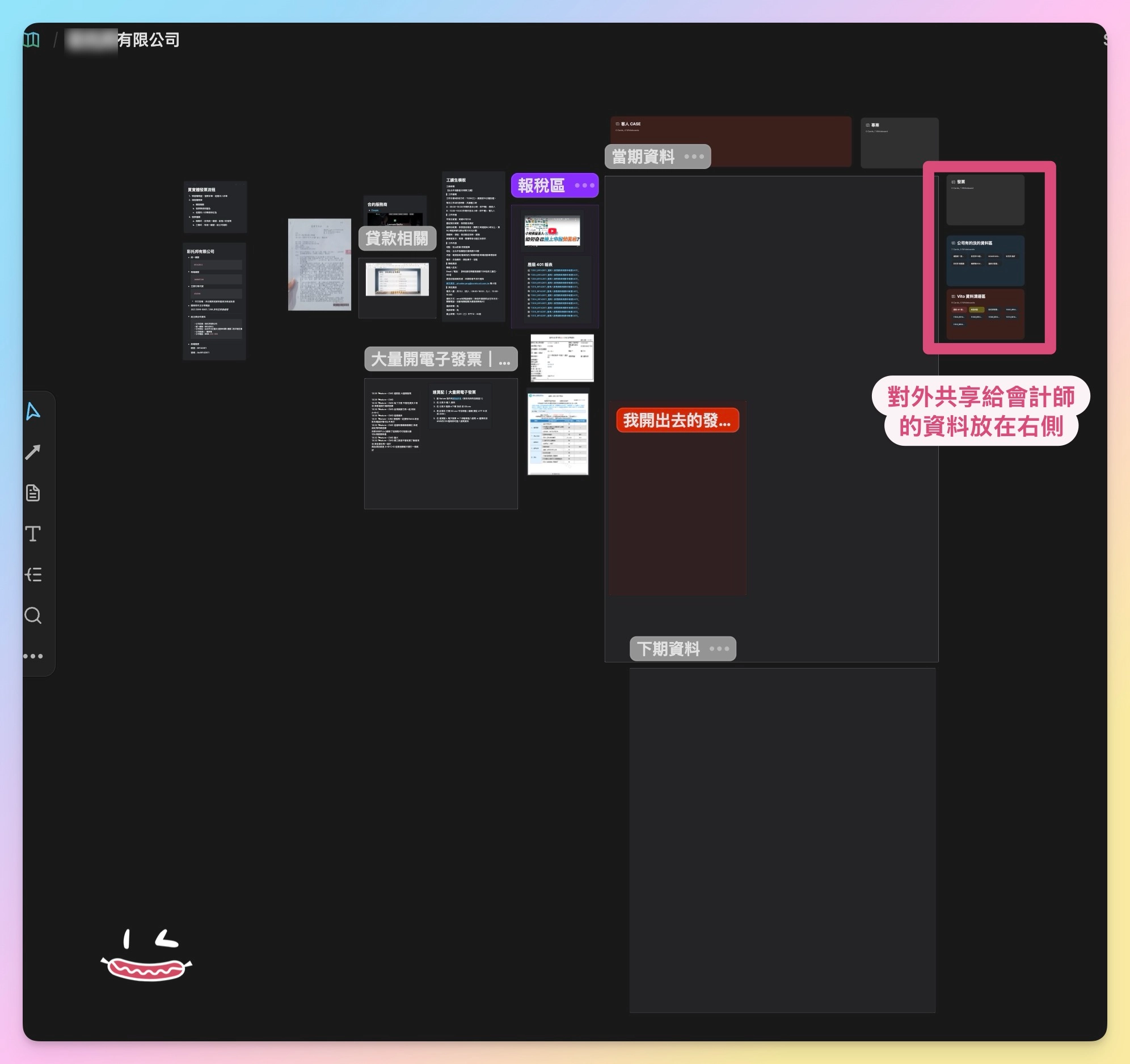
I put tax-filing tutorial videos right inside this solo-business database whiteboard, so when it’s time to file taxes I don’t have to Google the same tutorial again — I can just work straight inside Heptabase. I can even photograph and import all of the current period’s invoice info, then use the “Section” feature to group everything visually.
Current contents include:
- Client cases
- Tax-filing area
- Current-period documents
- Expired documents
#3 Project Management
![Heptabase ✦ [Template] event project workflow — Zettelkasten card-based notes](https://knowledgegut.com/wp-content/uploads/2023/12/知識包小腸|文章截圖-3-3.png)
![✦ Heptabase [Template] event project workflow — each card is a step in the project framework. Zettelkasten card-based notes](https://knowledgegut.com/wp-content/uploads/2023/12/知識包小腸|文章截圖-1.jpg)
![Heptabase ✦ [Template] event project workflow — actual usage. Zettelkasten card-based notes](https://knowledgegut.com/wp-content/uploads/2023/12/知識包小腸|文章截圖-2-1024x591.jpg)
- Event project workflow
I laid out every step and process I need to think through for running an event — “early-stage planning,” “promotion & registration,” “pre-event preparation,” and “post-event review” — and every card in this template is built so that a third party can understand it.
![Heptabase by knowledgegut Xiaochang — [Template] IG post production workflow](https://knowledgegut.com/wp-content/uploads/2023/12/Heptabase知識包小腸_【模板】IG-貼文輸出工作流.webp)
- IG post production workflow
I usually collect great post examples I’ve made and store them on an “[IG] inspiration library” whiteboard. Then, using the “bi-directional linking” feature inside the relevant card, I no longer have to hunt for a posting angle — I can pull a fitting writing direction straight from the inspiration library to create the post.
These project-style templates are well worth a dedicated article down the road — if you want to learn them, drop a comment below and make a wish. And the day Heptabase ships a template-copy feature, I’d be happy to share mine with everyone 😍.
#4 Relationship Map
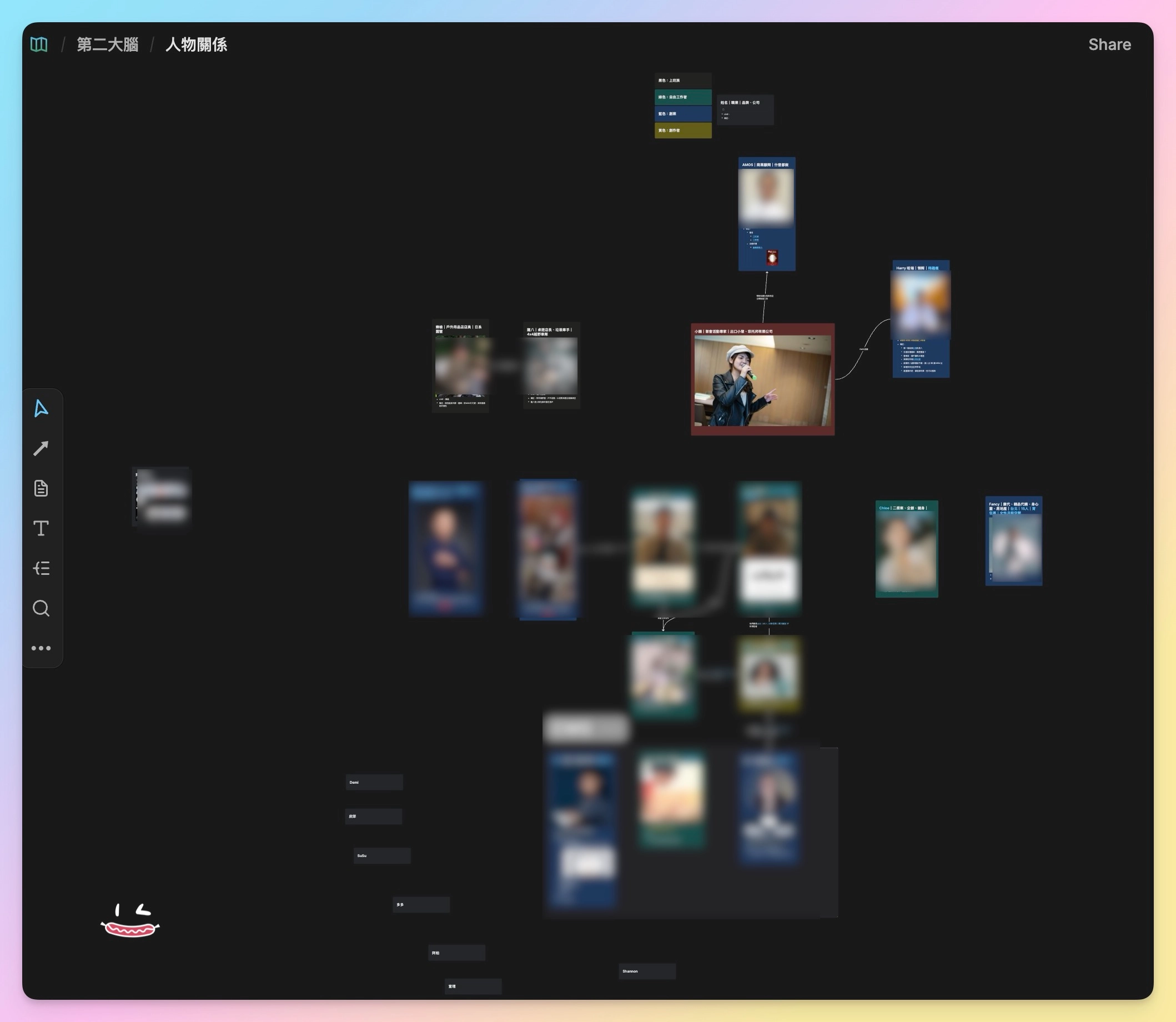
When watching a TV series you often need a complete relationship map or family tree to keep track of who’s who — who is related to whom, where they’ve appeared together, who else knows whom. You can draw all of it with Heptabase’s “Connect” feature, drawing connection lines, and you can even add text notes onto each line so the whole relationship map reads clearly.
Later I moved the relationship map over to Notion and turned it into a “contact database”!
The reason is that I find Notion’s database features more convenient when filtering for specific records, and you can pair it with automation features for even more efficient use.
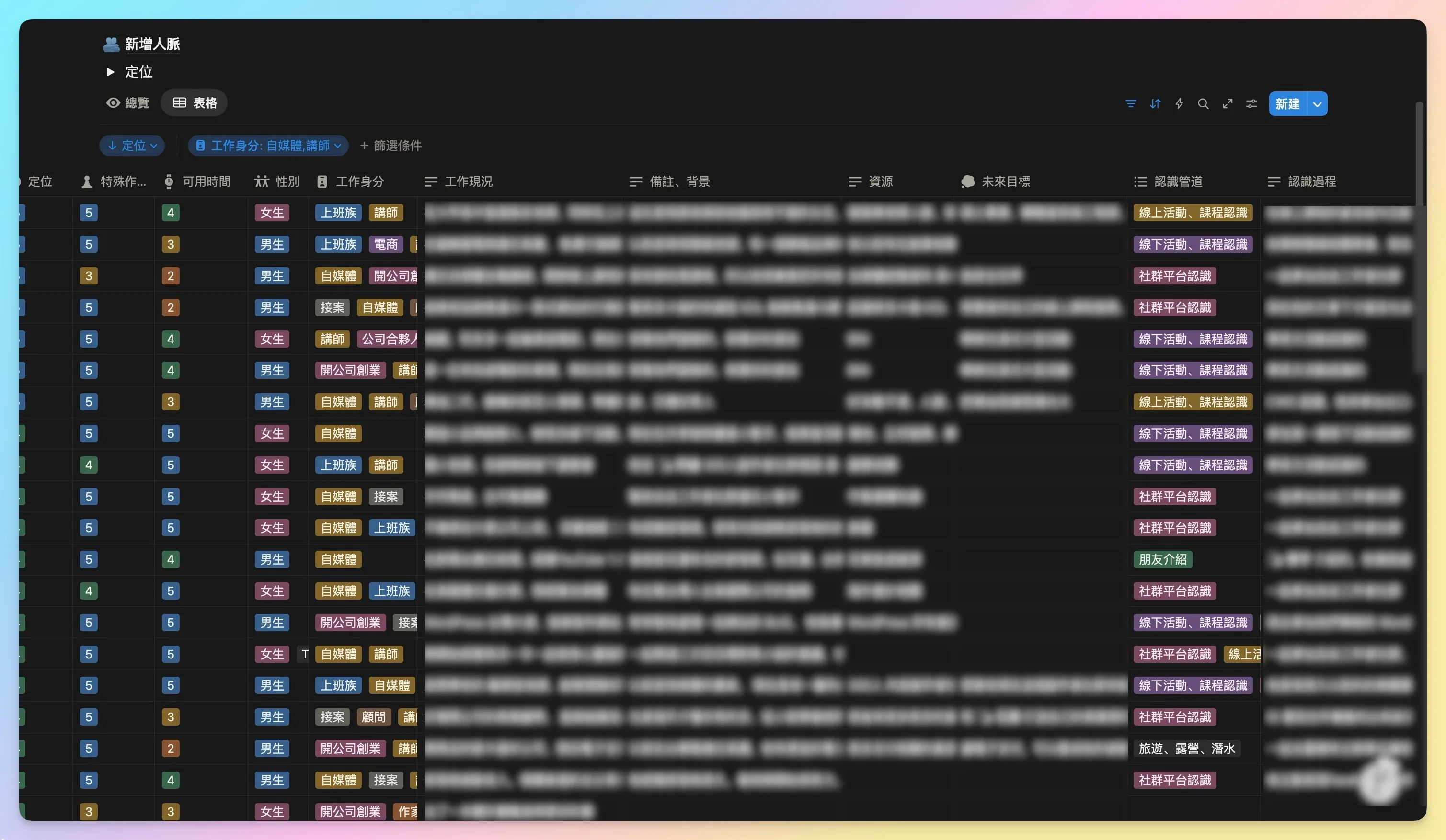
I’ll be rolling out Notion template services too, so I recommend subscribing to my 《Gut Talk》 newsletter so you never miss any of the latest news!
#5 Venue Database
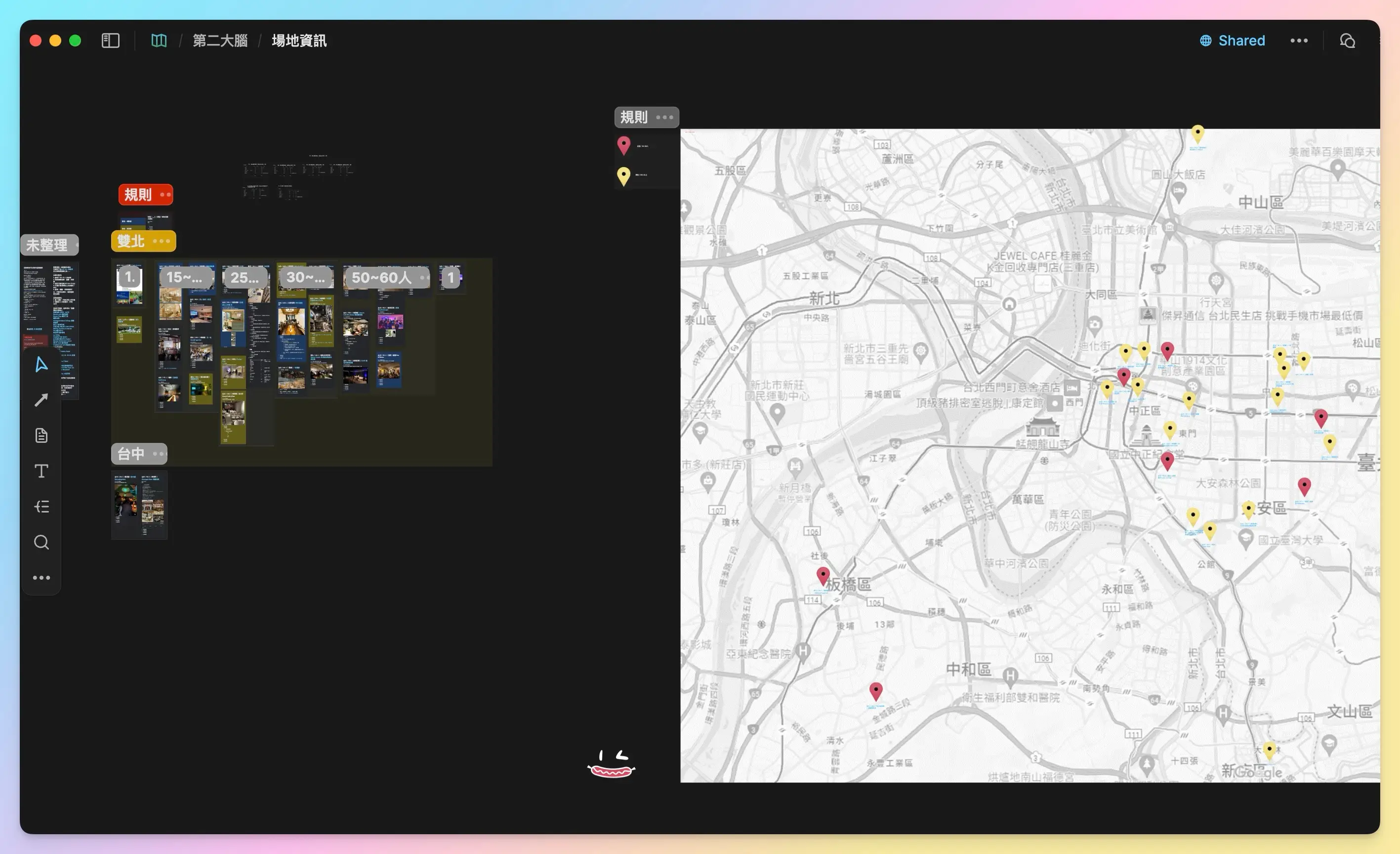
Because I’m in the events business, I constantly need to find venues. For the longest time I wanted a complete venue database, but neither Excel nor Notion let me find the venue I wanted quickly.
Until I met Heptabase, and this little dream finally came true! The layout logic is by venue capacity — venues I’ve scouted are blue cards, ones I’ve actually used are yellow — so when I’m running an event project I can quickly find a suitable venue and instantly see its full details.
By the same logic you can build a vendor database, a competitor-analysis database, or any database your industry needs.

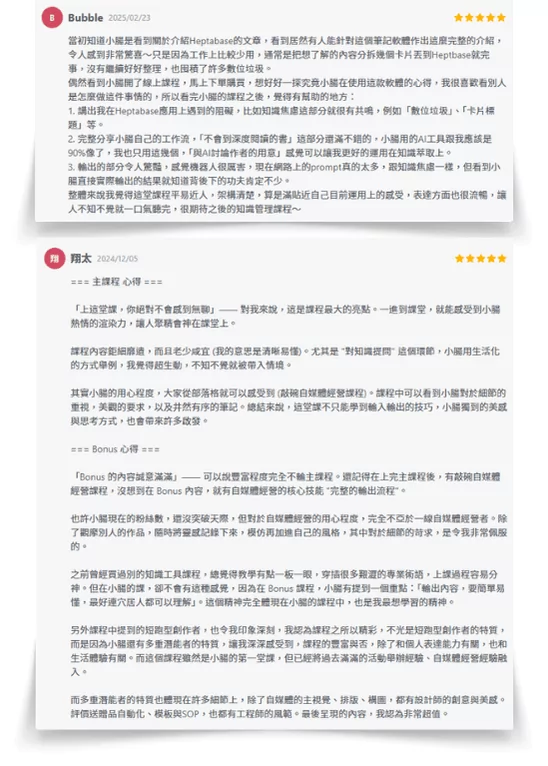
Over 215 students have enrolled, leaving glowing 5-star reviews! The bonuses alone exceed the course value, plus I share exclusive Creator SOP workflows—original content you won't find anywhere else!!
#6 A Million Whys Section
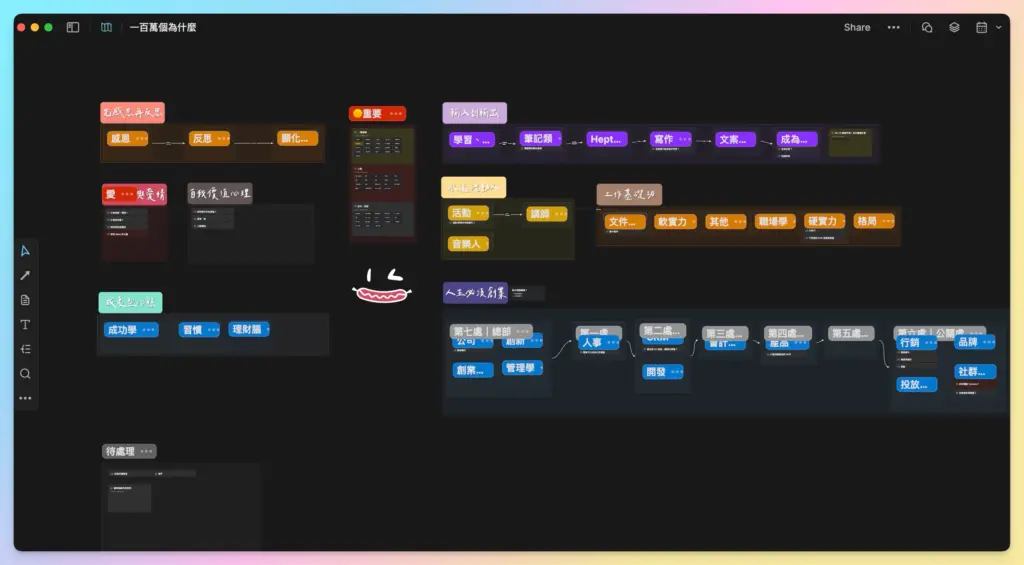
This section is based on the concept from the book 《Instant Thinking (Zero-Second Thinking)》: every day you answer one question on a single A4 sheet, within 1 minute, using 4–6 answers — which builds your logic, reflection and deep-thinking ability. I took that single-question concept onto this whiteboard, and in the end it became a whiteboard where I dig deeply into “many different questions.”


For example: on the sub-whiteboard “How do I make my website SEO better?” I dump in every piece of information about SEO optimization. The next time I run into the same question, I know exactly which part of my brain the answer lives in — and I already know what the answer is, so I never have to start from zero on Google again, saving a ton of time.
This kind of organizing structure is a key part of the S.H.A.P.E. five-step knowledge-management framework I developed, and it’s the solution most people ask about during 1:1 consultations with me! Everyone asks: “With knowledge management, what do I do when I can’t find my old notes?” This section exists precisely to solve that problem!
I’m working hard on a large-scale knowledge-management course and coaching service, and I genuinely hope to solve your biggest life pain point directly — remember to follow my 《Gut Talk》 newsletter and look forward to this service!
#7 Around-the-World Vision Board
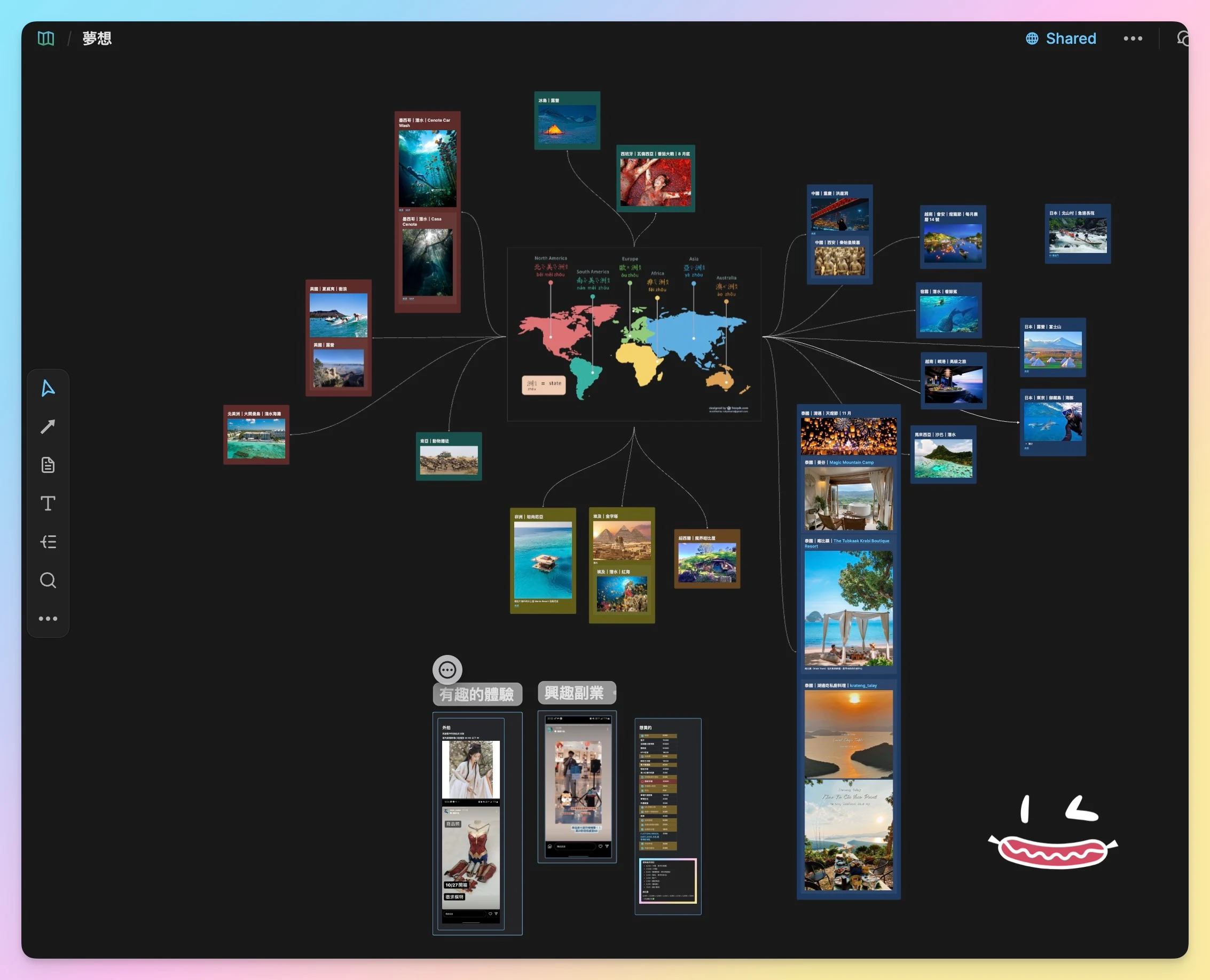
When this “vision board” idea was just sprouting, I posted the idea into Heptabase’s Discord — Share use cases — and it was quickly featured on the official Wiki & newsletter for users all over the world! I was beyond thrilled! Getting an official shout-out less than a month after subscribing right here only cemented my love for this note-taking app and my urge to share it.
This vision board has a few key points:
- All the places are ones I’ve never been to
- Add photos & URLs of the countries, activities and itineraries I want to experience
- Each itinerary is its own card
- Change each card’s color according to the seven continents
- Connect them to a map with connection lines
I highly recommend starting your Heptabase journey with a vision board as your very first whiteboard — paste in all the around-the-world data in your head! Seeing your dreams laid out visually makes you feel one step closer to them!!
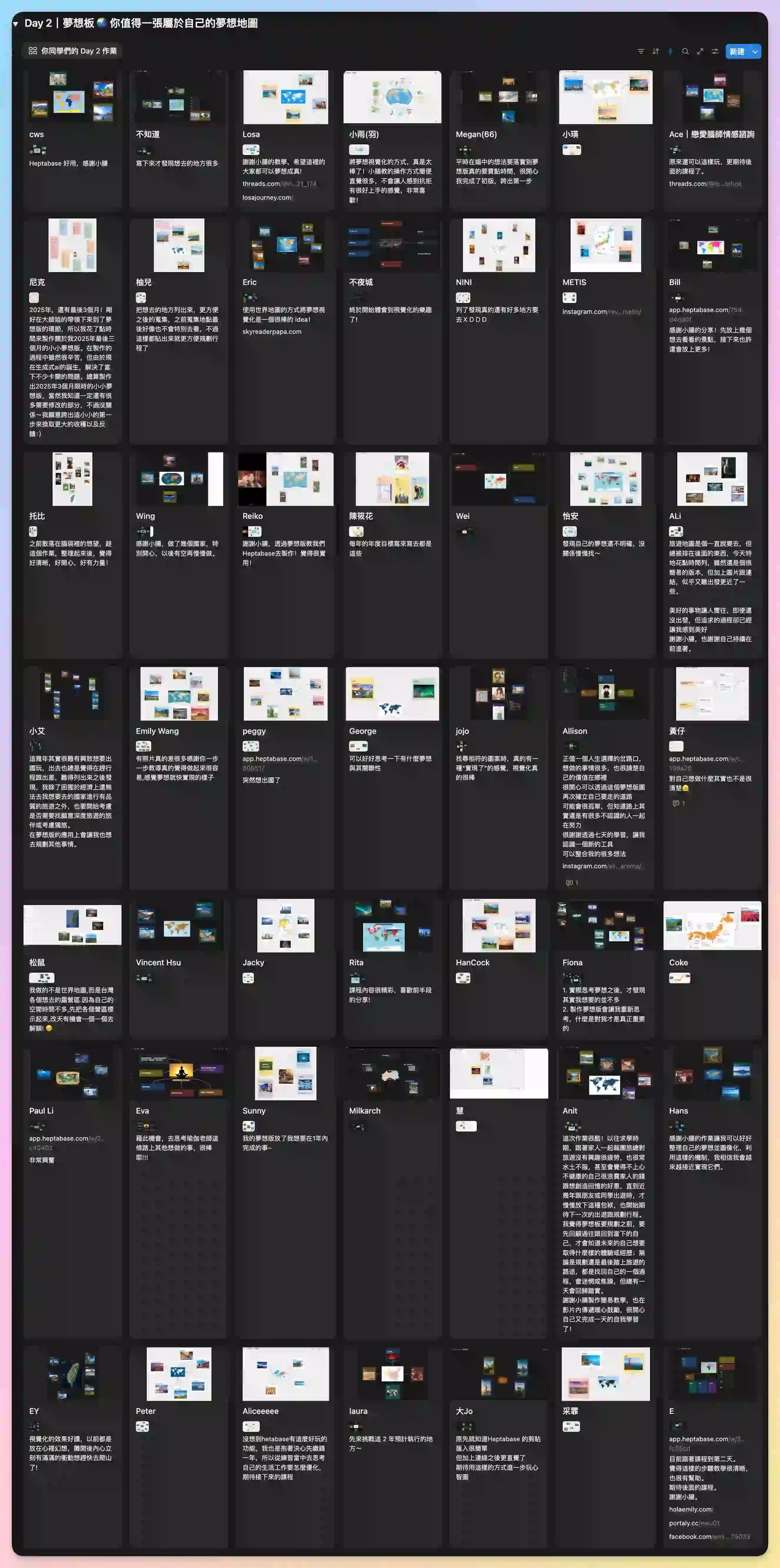
✦ Day 2 — Vision board
For now I can only show you a tiny screenshot — join 《7-Day Heptabase Workshop: Build Your Knowledge Base From Scratch》 and you’ll unlock all of it!
#8 Independent Travel Planning
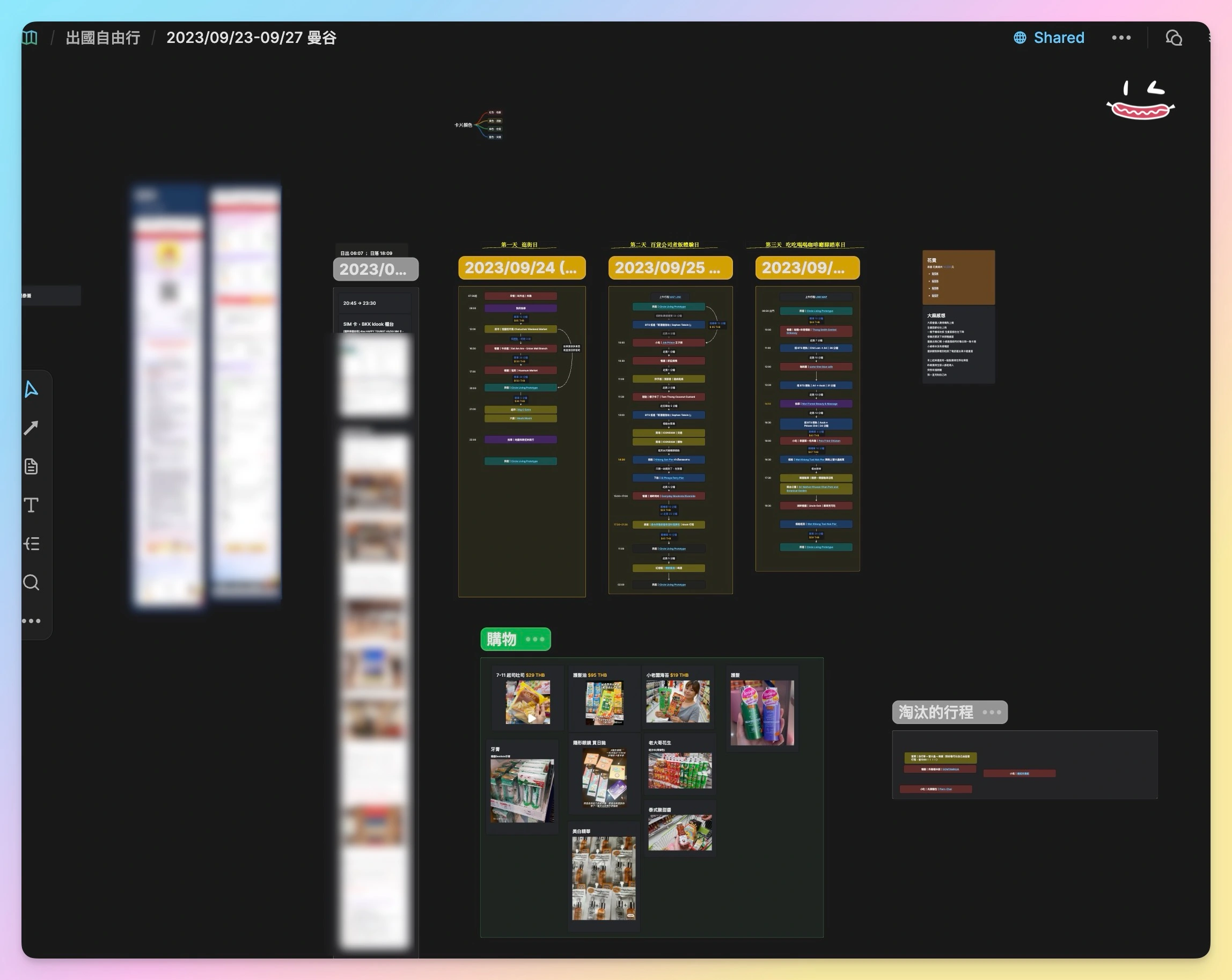
When I traveled solo to Bangkok, Thailand in September, I literally opened my Heptabase notes on my phone and followed the itinerary I’d planned back in Taiwan — the whole trip went incredibly smoothly, and my spending stayed within budget.
The independent travel planning whiteboard includes:
- Visa info
- Round-trip flight info
- SIM card pickup location, method & QR code
- Each day’s itinerary location, address & map
- Transit time & cost between stops
- Shopping list & a do-not-buy list
#9 Self-Discovery Map
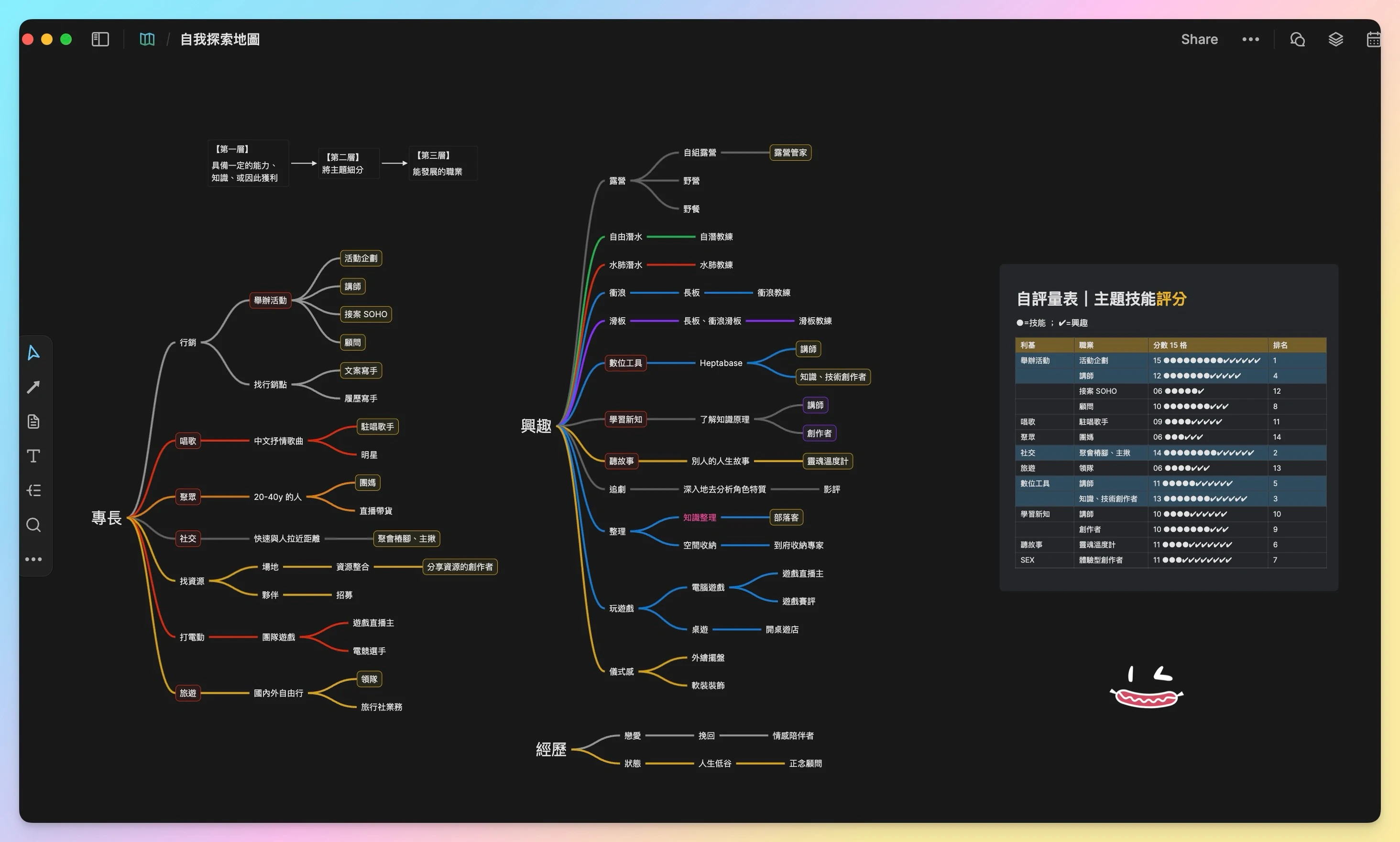
I throw in all the results I’ve measured from various places — Gallup, Human Design, astrology, self-introductions I’ve written before, dating-app bios, homework from positioning courses I’ve taken, and so on — plus old singing-performance videos and works can go on this whiteboard too, all to help me understand myself better.
Having this dedicated self-discovery map lets me get to know every side of myself. This was one of my prep steps for positioning my blog — finding my personal traits, expertise, interests and positioning — so I can keep sharing with more passion in the days ahead.
I’m a generalist personality, and while doing self-discovery & positioning I found that I could go into 100+ different careers — no wonder I could never figure out my true self, I’m too complex! So if you’re a generalist too, you absolutely have to open up this get-to-know-yourself whiteboard and start collecting data about yourself!
#10 Trash Can
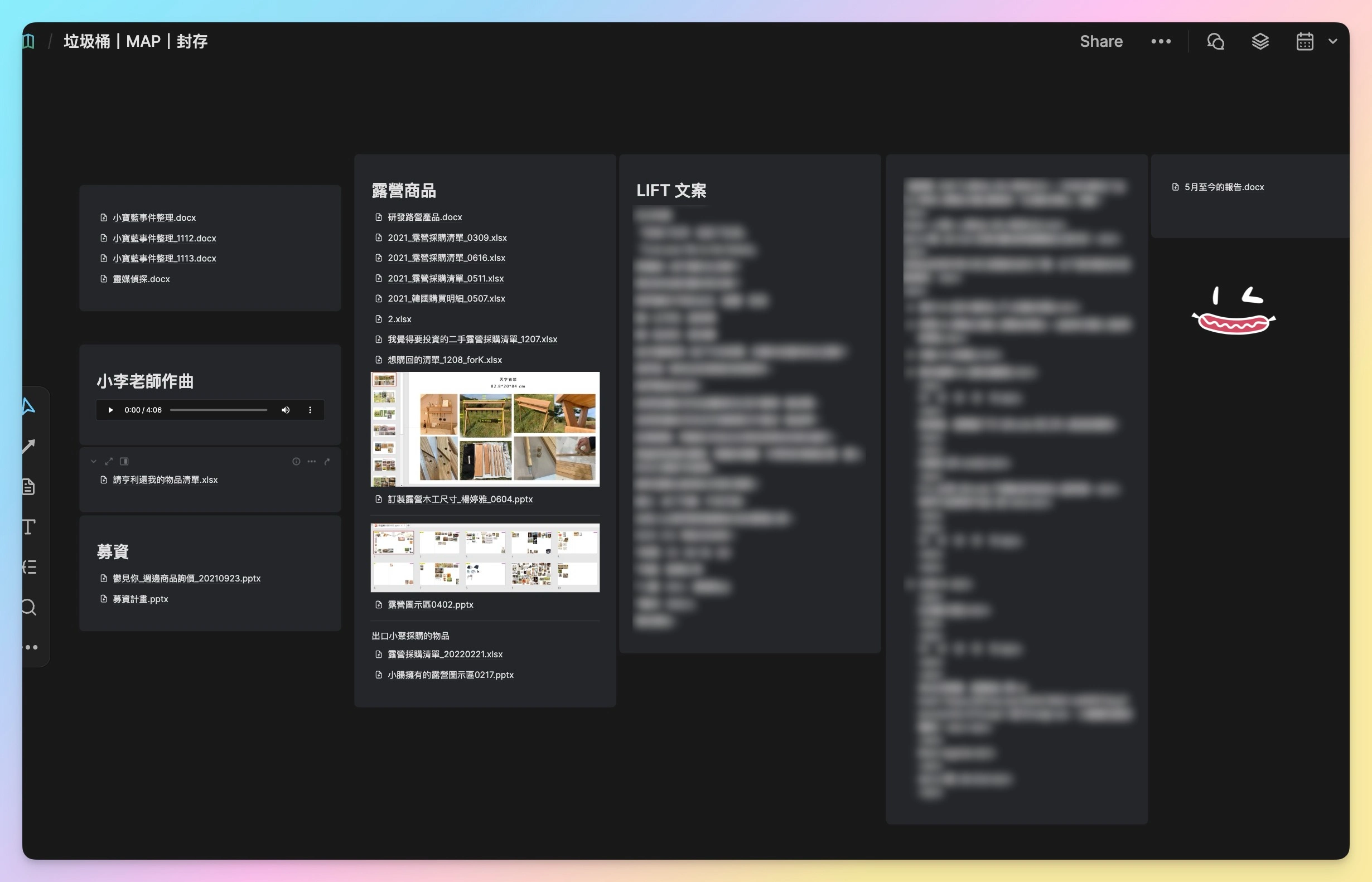
This holds all those files, music, text, slide decks and assorted data on my computer desktop that I can’t bear to delete but don’t know where to store — you can also drop in retired notes or articles you still mean to read.
Heptabase is currently paid software
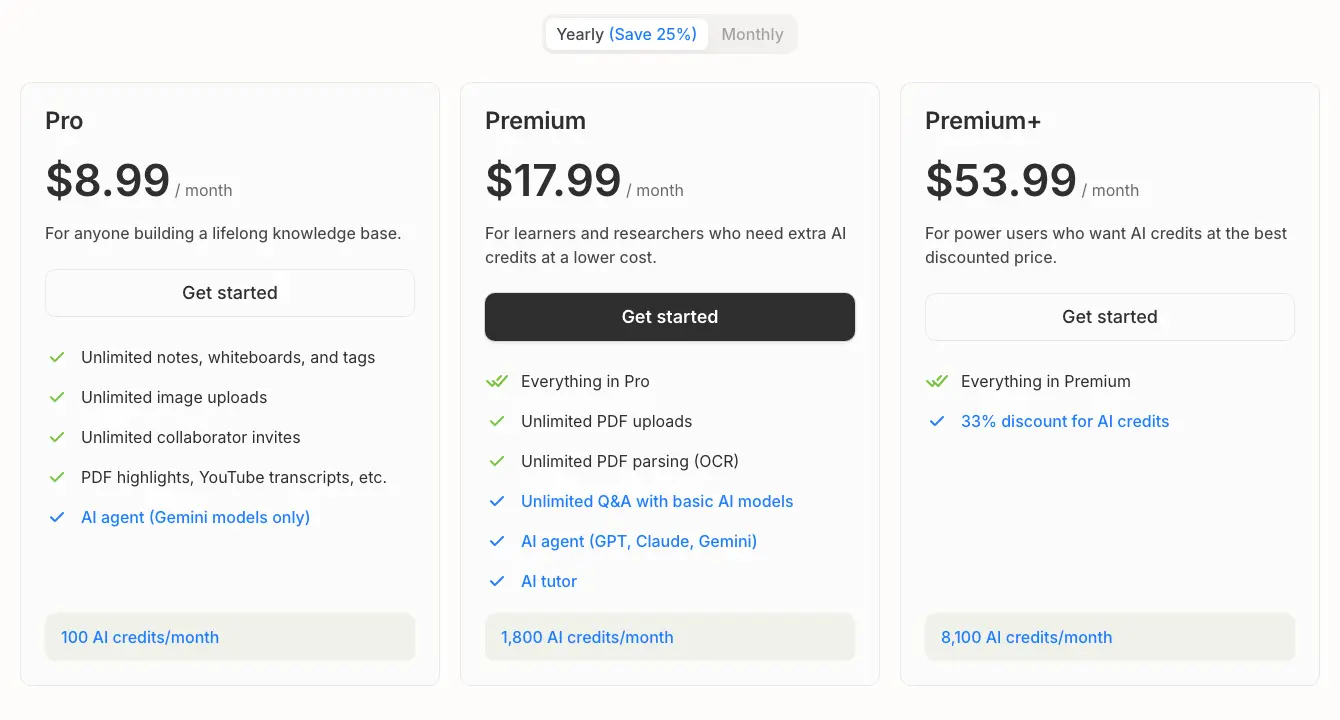
Heptabase is currently paid software, and since December 2025 it comes in three plans, differing mainly in the “monthly AI credits” and “which AI models you can connect”:
- Pro (what most people pick 🌭): US$11.99/mo billed monthly, or US$8.99/mo billed annually — 100 AI credits, Gemini models
- Premium: US$23.99/mo billed monthly, or US$17.99/mo billed annually — 1,800 AI credits, plus more models like ChatGPT and Claude
- Premium+: US$71.99/mo billed monthly, or US$53.99/mo billed annually — 8,100 AI credits, only for heavy AI users
How much does the most popular Pro plan cost (in NT$)?
Monthly: US$11.99 (about 390 NTD)
Annual: US$107.88 for the whole year (about 3,300 NTD, averaging US$8.99/mo — 25% off)
For simply taking notes and organizing knowledge, Pro is more than enough; if you'll use its built-in AI heavily (connecting ChatGPT or Claude to write and organize things for you), then consider Premium.
Which plan is more suitable for me?
There's no discount code, sorry QQ — but every account gets a free 7-day trial, and during the trial you get Premium-level AI credits right away (the high-tier perks are unlocked for you to play with), with unlimited PDF uploads and parsing too. If you're really interested in this note-taking app and want to try it out, click the button below to try Heptabase — that also counts as treating Xiaochang to a latte, giving her more motivation to keep writing. Thanks for reading!
On 2024/12/09, when I saw this update, my jaw dropped @@. After trying so many Podcast transcript collection software, I didn't expect Heptabase to come up with this feature!
First decide “which tier”: just taking notes and organizing knowledge → Pro is enough; want to bring in models like ChatGPT and Claude and use AI heavily → then step up to Premium / Premium+. Once you've chosen a tier, decide whether to pay monthly or annually:
◽ If you just want to try it out, please select the 'Monthly Plan'
Heptabase provides new users with a 7-day free trial period. After the trial period, the monthly subscription fee will be charged.
◽ If you decide to subscribe long-term, please select the 'Annual Plan' (Xiaochang recommends 🌭)
The reason I recommend it is simple: using a notes app for just 1 month is barely enough to feel its power. I jumped in in 2023/09 and bought a year subscription right away. After three months of using it, I became a passionate fan and partner promoter, and that's when I started what you all know as the 'KnowledgeGut' blog.
And the course experience sharing came from that too. It all happened because I subscribed to the annual plan, which changed my life trajectory 😜
🌭 Welcome, fellow Gut 🌭

Those were the use cases dreamed up by an alien brain unlike anyone else’s~ This really was the first article I wrote in my life; I read it over many times every day, polishing the layout, spacing, structure, image beautification + logo, full-width vs half-width characters, spaces, shortened-link checks and more — and only then did this article come out XD

Xiaochang🌭 (Yang Ting-ya / Phoebe Yang)
AI Second Brain Application Specialist
Turn knowledge into assets and let experience compound—
Train your First Brain, build your Second Brain (Heptabase), and master your AI Third Brain.
Specializing in Zettelkasten Notes, self-created memory-technique Notes, AI Automation, and AI Agent Systems.
Has coached 2,000+ professionals in building personal knowledge bases.
📩 Gut Talk Newsletter · IG @knowledgegut · Threads @knowledgegut

If you have any questions about the article content, or if there are any parts you'd like me to elaborate on, feel free to leave a comment below and let me know~
Some links in the article are "Affiliate Marketing" links. If you click through and make a purchase, Xiaochang receives a tiny little bit of commission (it won't affect the price).

by Knowledge Management Mentor Xiaochang🌭


 English
  繁體中文
繁體中文