

Hi, I'm Xiaochang ~ 🖐
My course makes extensive use of the popular note-taking software Heptabase. If you haven't registered for Heptabase yet, please follow the steps in this unit to set up your account step by step!
Let's start building our own Second Brain world together 🧠
🌭 Personal IG:https://www.instagram.com/knowledgegut/
🌭 knowledgegut Blog:https://knowledgegut.com/
🌭 Knowledge Academy Courses:https://student.knowledgegut.com/
🌭 Gut Talk Newsletter:https://join.knowledgegut.com/join-newsletter
*After subscribing to the newsletter, you can join the "Lifelong Growth" LINE group, which is filled with people just as amazing as you.🌭 Public Diary Threads:https://www.threads.net/@knowledgegut?hl=zh-tw ⎯⎯⎯⎯⎯⎯⎯⎯⎯⎯⎯⎯⎯⎯⎯⎯⎯⎯⎯
💛 Exit Gathering | Offline Meetup Brand:https://www.instagram.com/life_exit_event/
🎤 Singing Account | One day I will fulfill my singing dream:https://www.instagram.com/easysing_tw/
🌡️ Soul Thermometer Podcast (In Preparation):https://www.instagram.com/soul.temperature/
Heptabase Registration Process Instructions
▍ Step 1: First, please open your "computer" (do not use the mobile or tablet APP)
Remember to register using a web browser on your computer and complete the initial “setup” to ensure proper usage!
This course will also use the desktop version for all operation demonstrations, making it easier for you to follow along with the course.
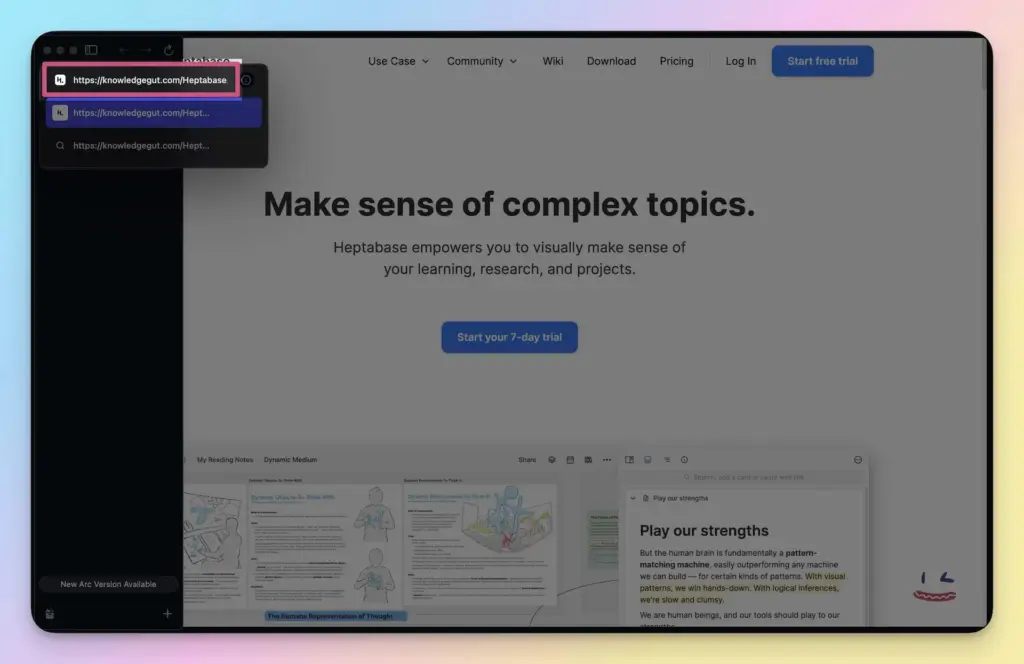
▍ Step 2: Open the registration link
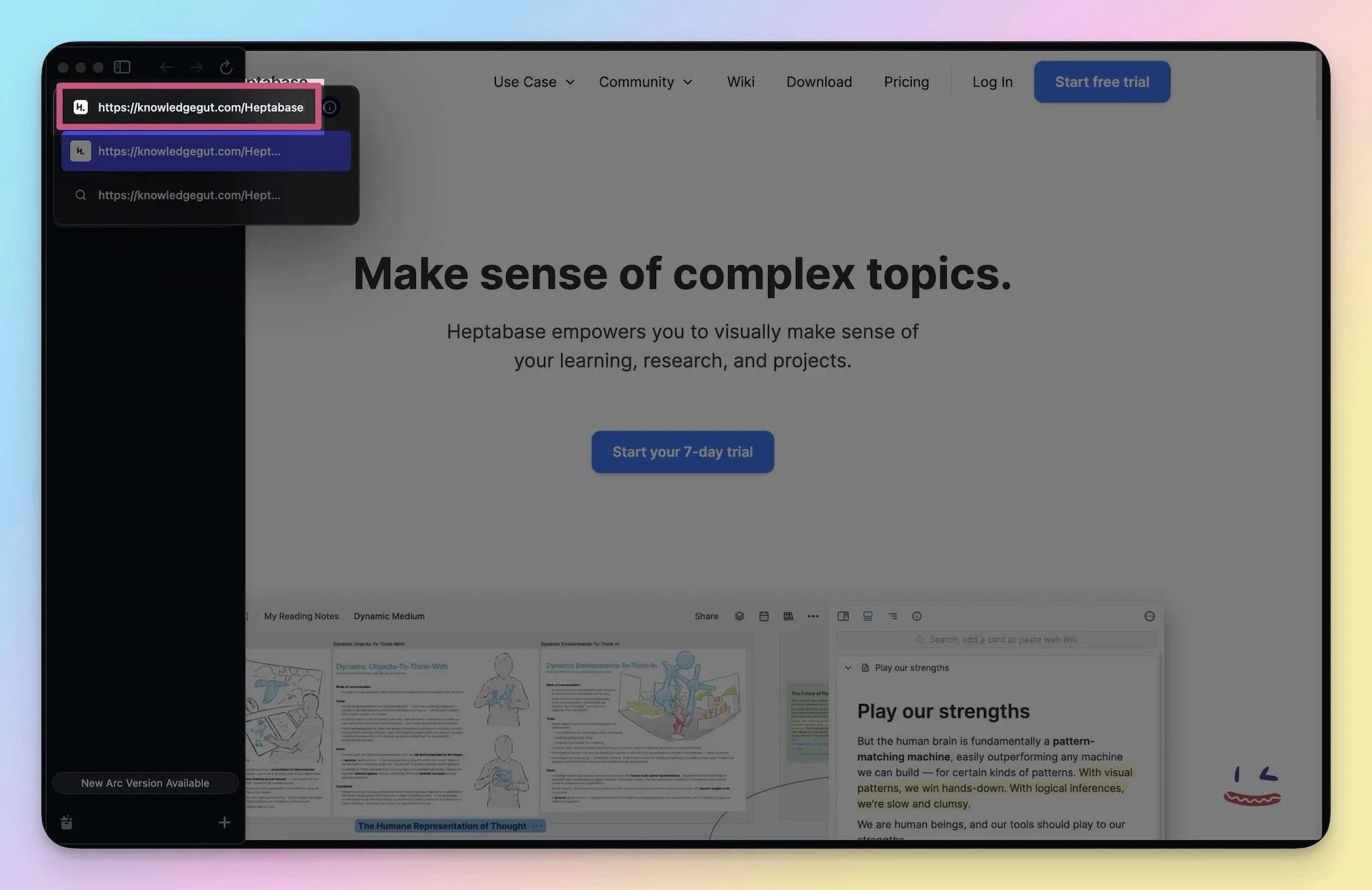
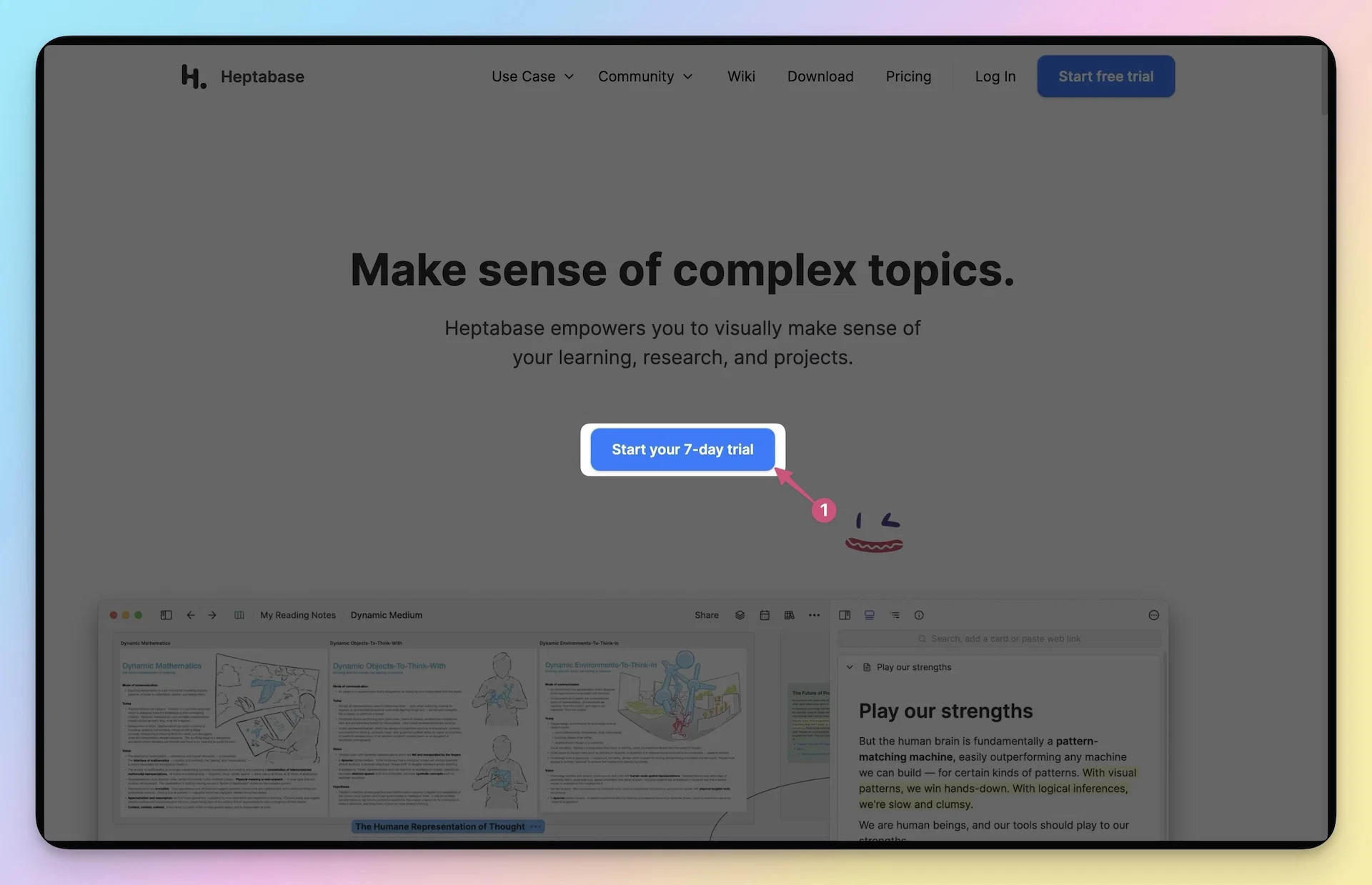
▍ Step 3: Click the "Start your 7-day trial" or "Get Started" button
Here, you need to click two buttons consecutively.
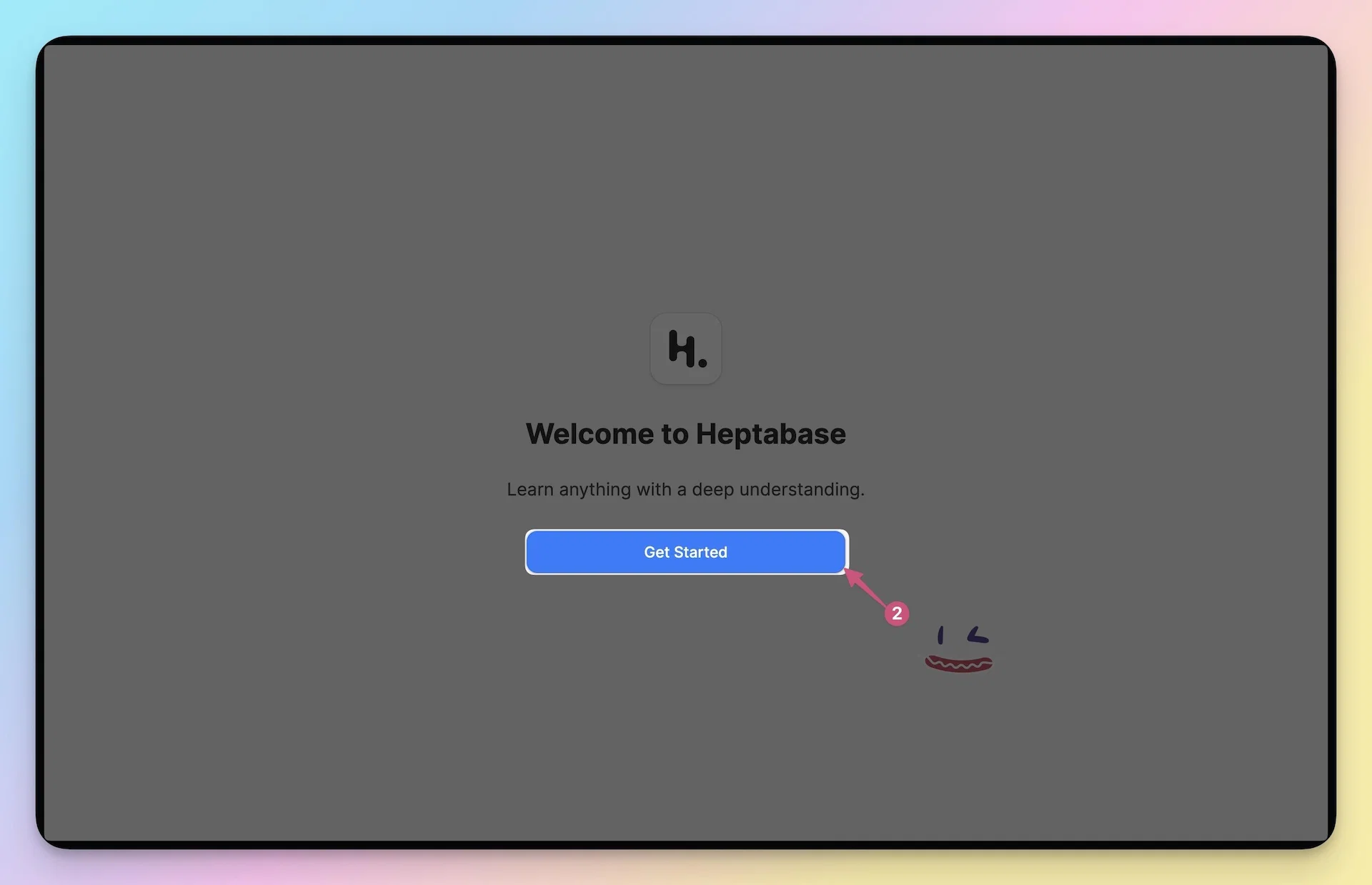
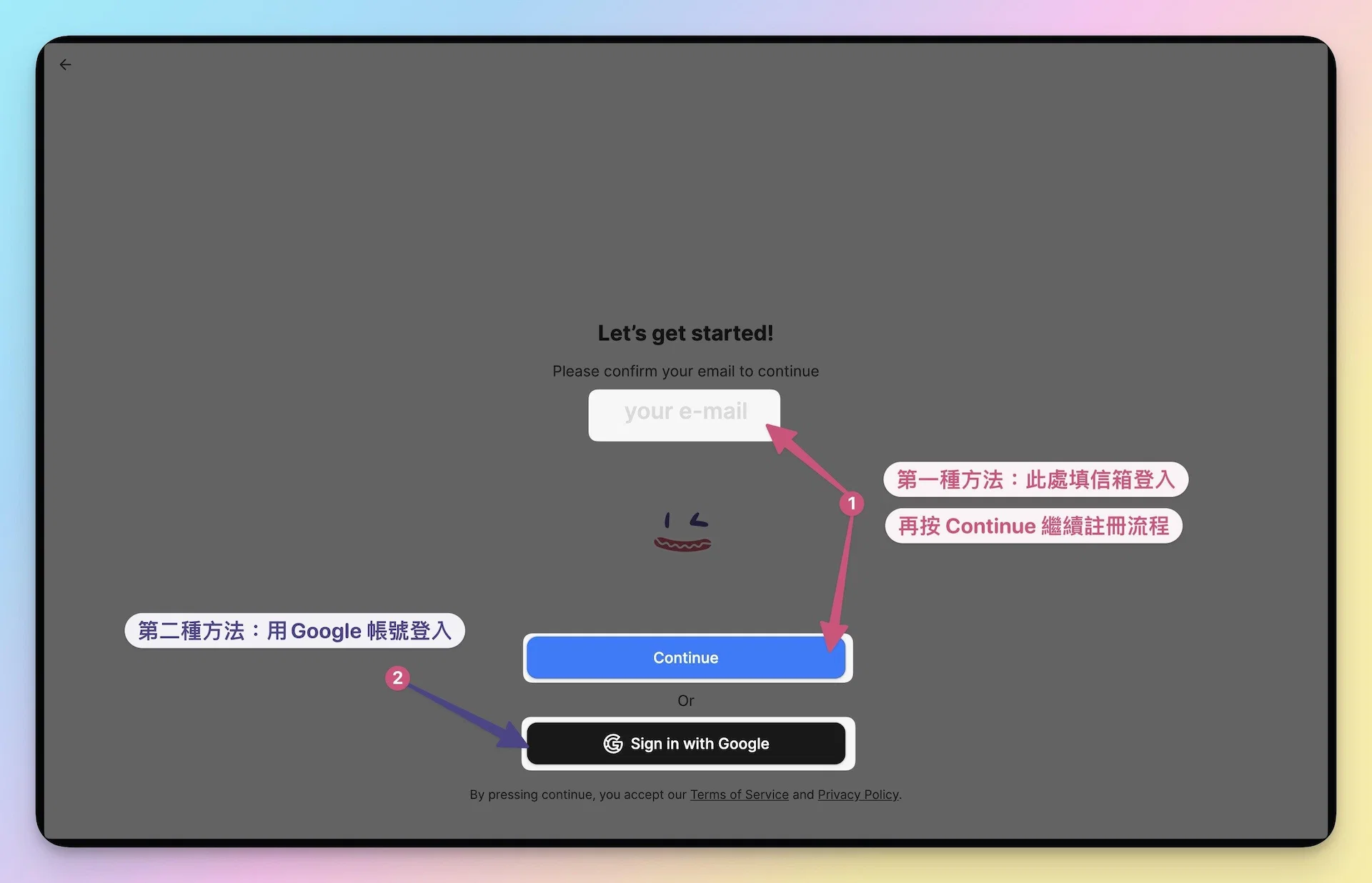
▍ Step 4: Enter your email address
There are two ways to log in to your account:
- Directly in the “your e-mail” field, enter your email. In the future, use this email to log in to Heptabase.
- Log in using your Google account via “Sign in with Google”, and in the future, simply click your Google account to log in to Heptabase.
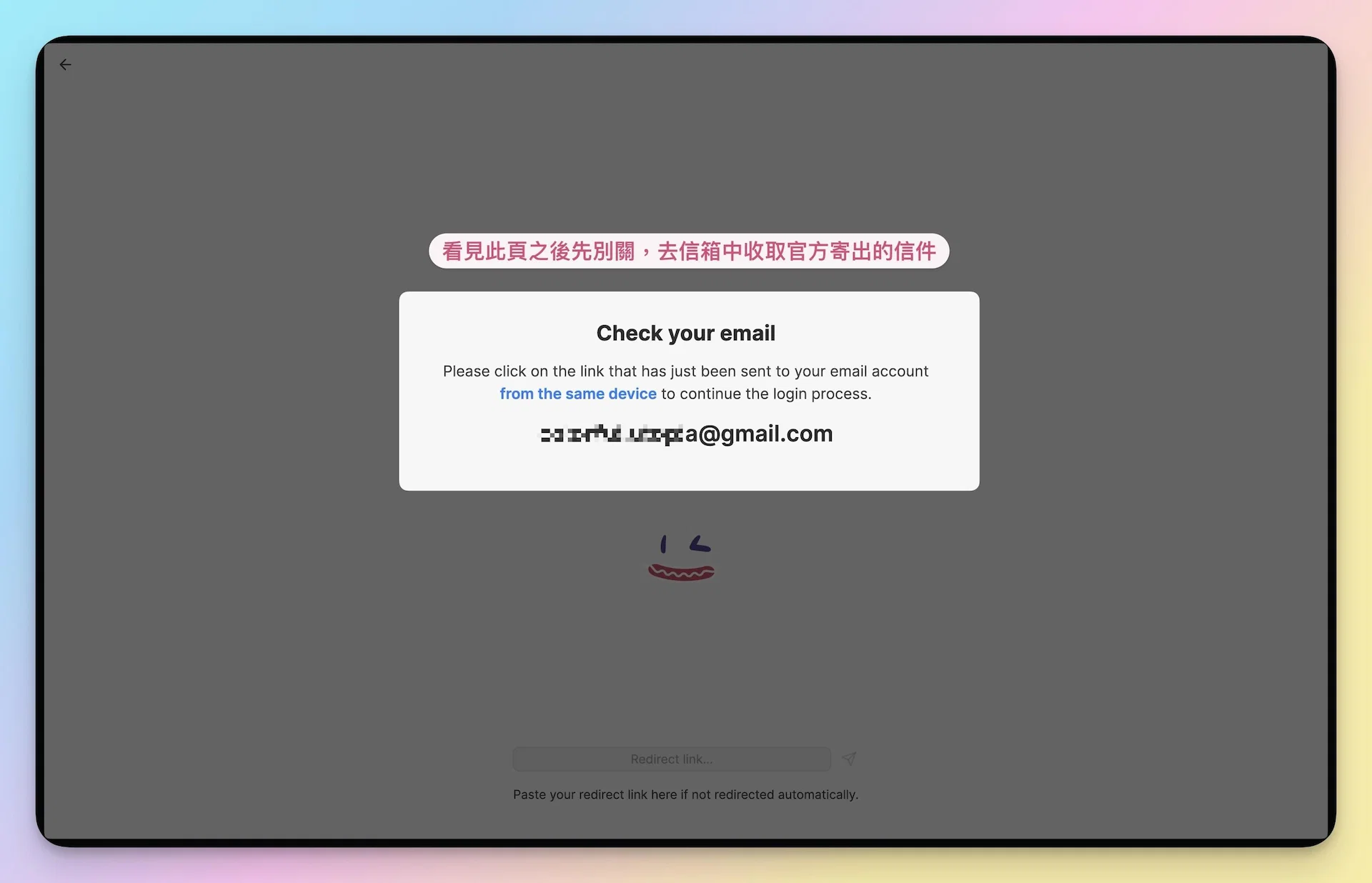
▍ Step 5: Do not close any pages. Go to your inbox to retrieve the official email.
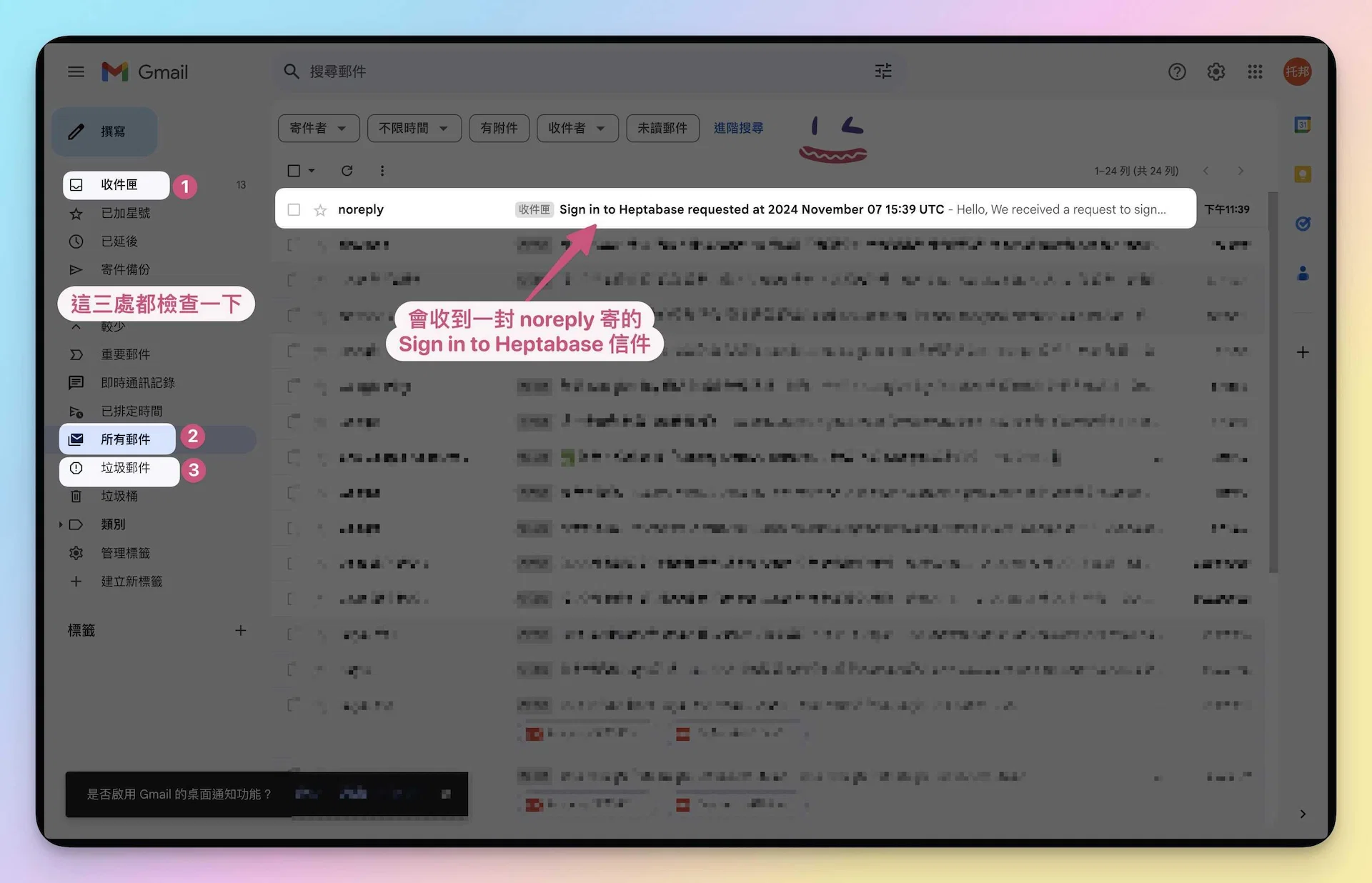
When you see “Check your email」, the official team will immediately send you an email titled 「Sign in to Heptabase」,
If you don't see it in your inbox, check the 「Spam」 or 「All Mail」 folder on the left side of your mailbox to find the email,
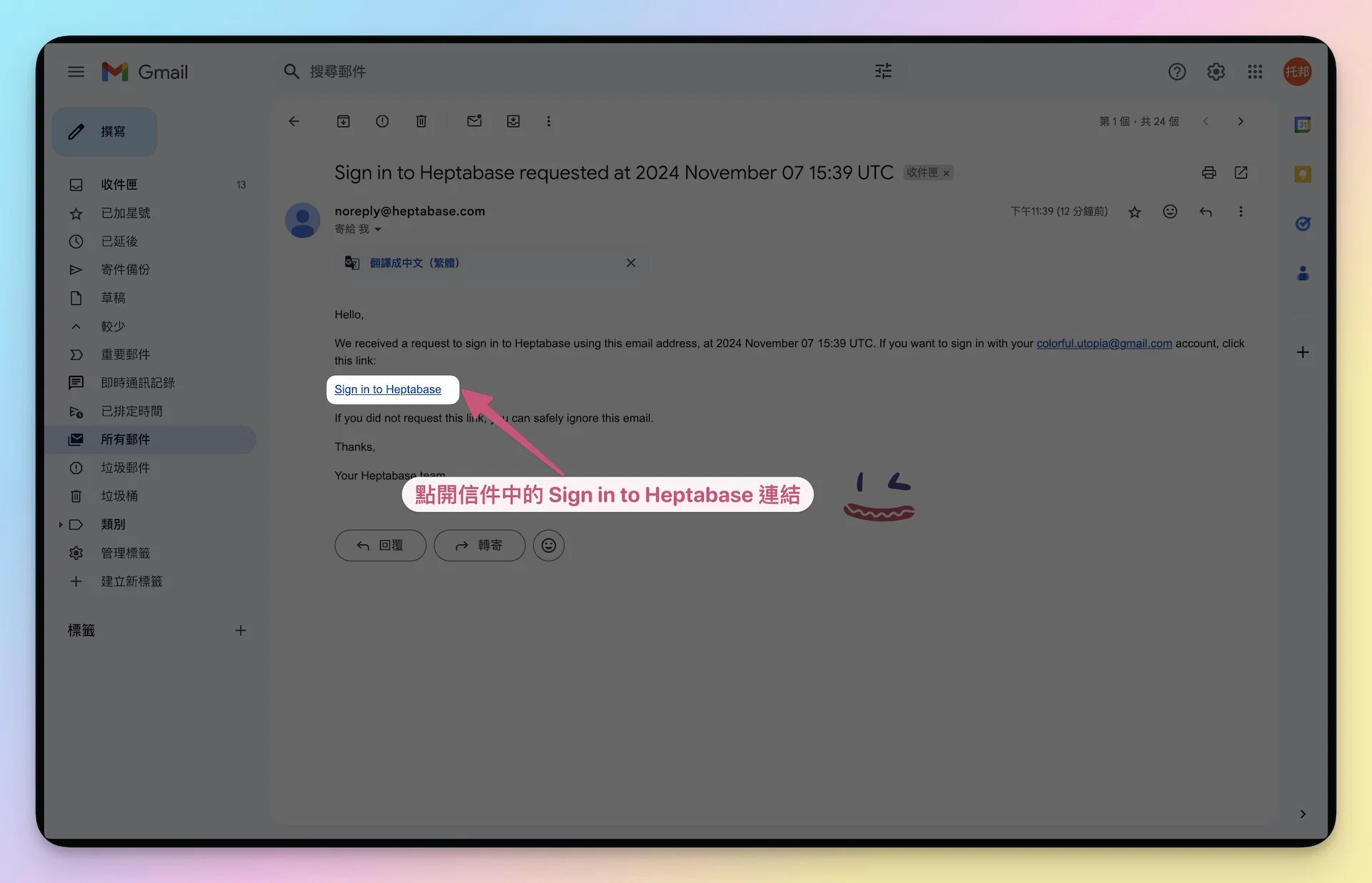
Then, click the 「🔗 Sign in to Heptabase」 link in the email.
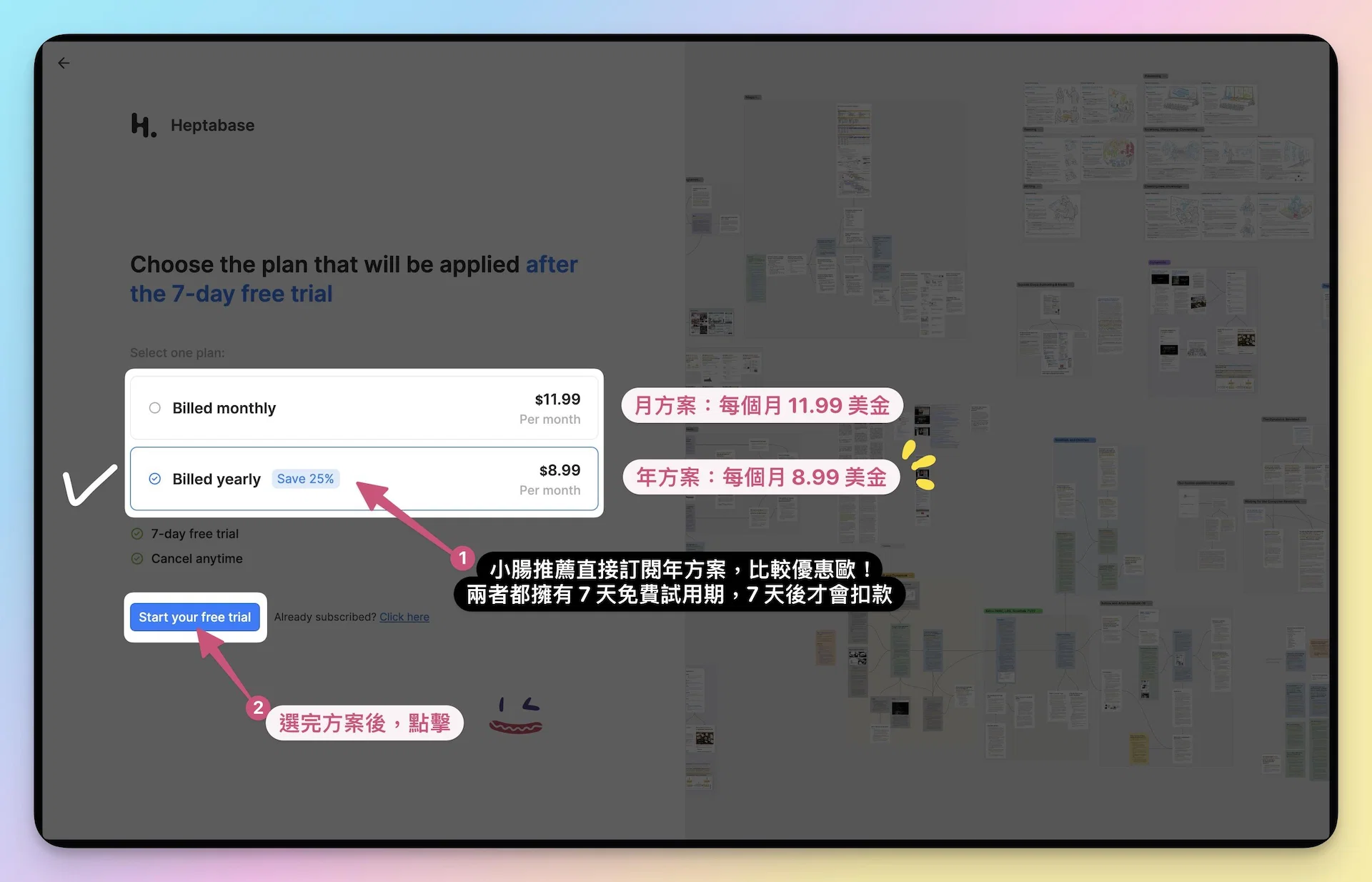
▍ Step 6: Open the verification page and select the plan you intend to subscribe to (monthly or annual).
◽ If you only want to try it out for a month, please select 「Monthly Plan」
Regardless of which plan you subscribe to, Heptabase offers all new users a 7-day free trial. Therefore, billing will only start after the 7-day period ends.
◽ If you decide to subscribe long-term, please select 「Annual Plan」(Xiaochang's recommendation 🌭)
My reason for recommending this is simple: you can barely feel the full power of a Notes software after just one month. I jumped in during 2023/09 and bought a one-year subscription right away to give it a try. After three months, I became a superfan and a collaboration promoter, which led to the development of the 「KnowledgeGut」 blog, and eventually the current experience-sharing courses. It all started because I subscribed to the Annual Plan, which changed the trajectory of my life 😜.
If you choose the Annual Plan, Heptabase will charge 「$95.89」 USD (Annual fee $107.88 - $11.99) after the 7-day free trial ends. This works out to only $7.99 USD per month, making your monthly cost lower and more cost-effective 💪
📌 Notes
- Whether it's the Monthly Plan or the Annual Plan, 「both come with a 7-day trial period first」.
- If you encounter any issues during registration, you can email Heptabase support 🔗 [email protected]
Remember to tell them that you are a student of Xiaochang's course!
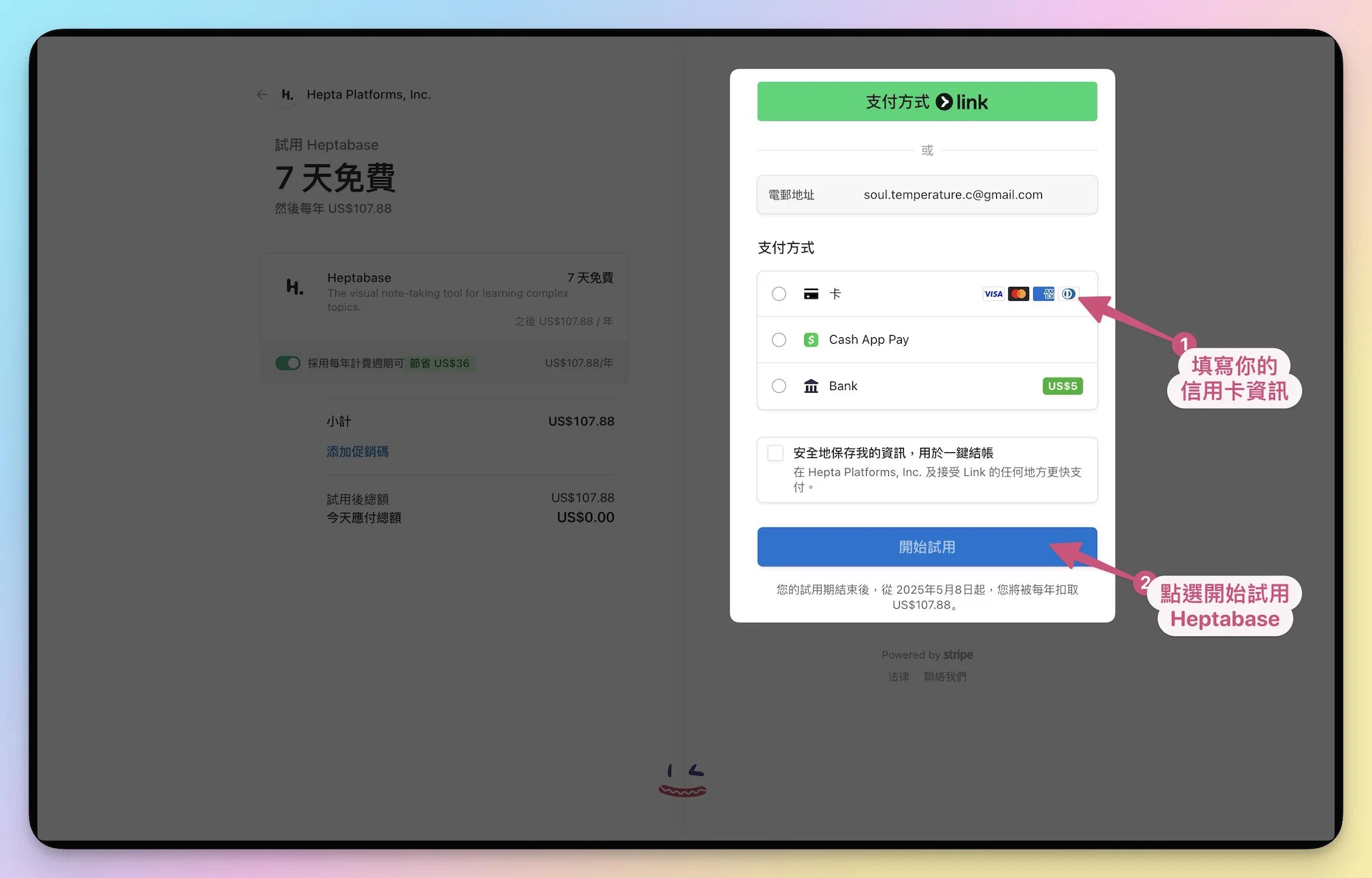
▍ Step 7: Click “Start your free trial” and enter your credit card information.
Fill in your credit card information on the right. Rest assured, no immediate charge will be made; billing will only begin after the 7-day free trial ends.
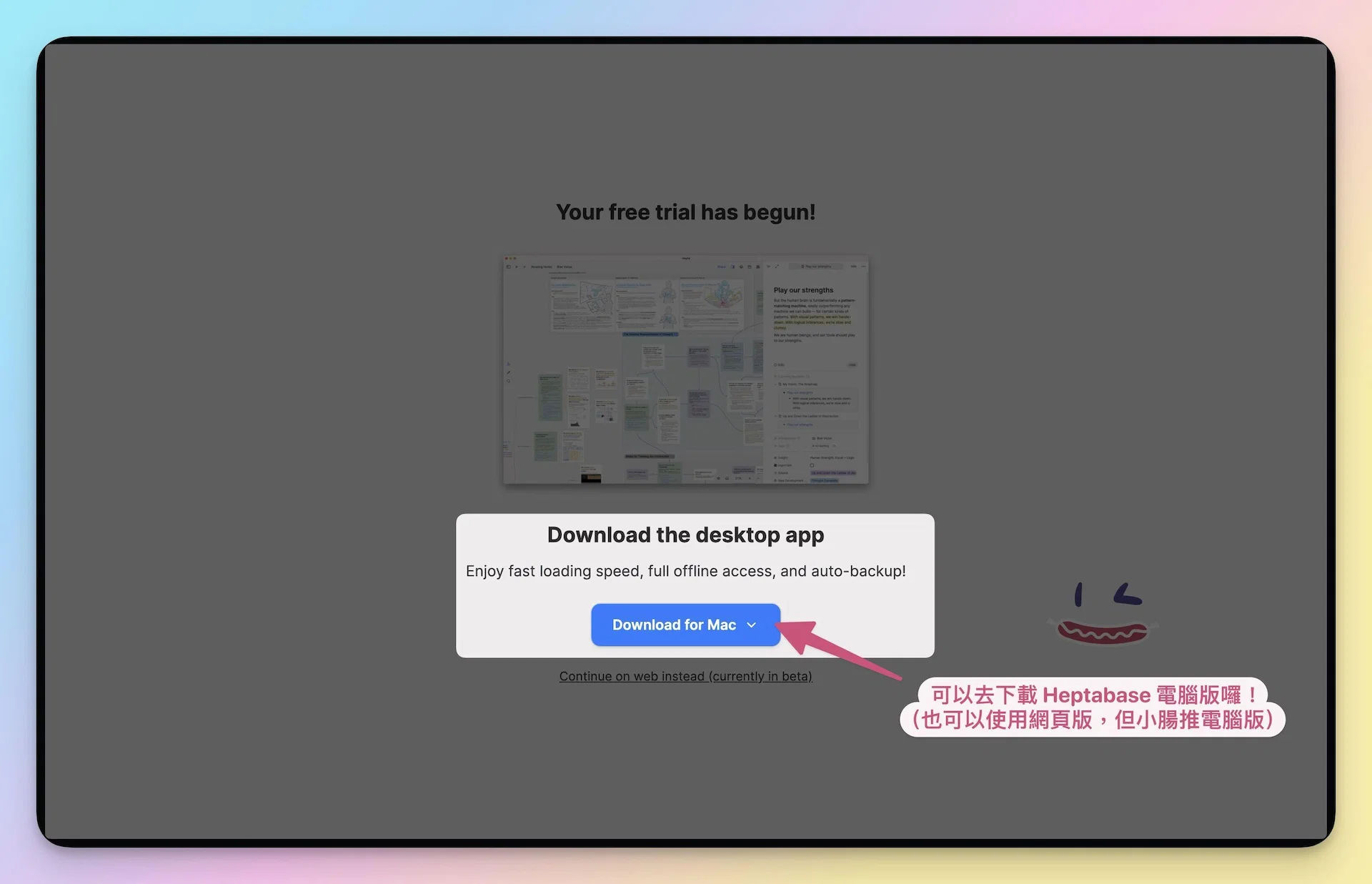
▍ Step 8: Next, download the Heptabase APP.
Available on desktop, web, tablet, and mobile. Xiaochang recommends everyone download the desktop version first!
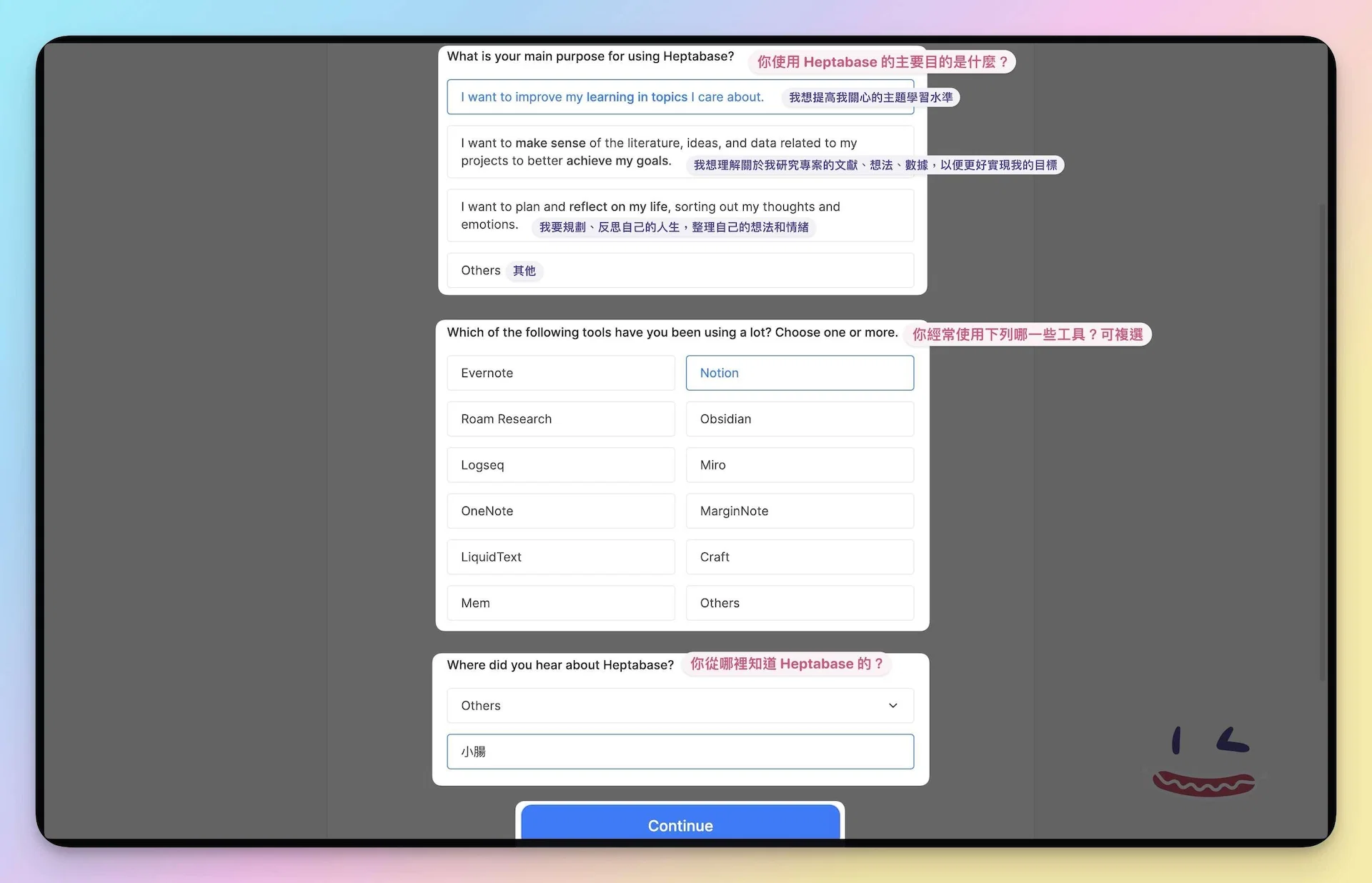
▍ Step 9: Fill out the “User Survey” required only on your first login to help the Heptabase team collect user data.
I've translated it for you (see image below). Once completed, you can start using Heptabase! If you have dual monitors, please open Heptabase on one screen and the course video on the other.
▍ Step 10: Finally, you can start following Teacher Xiaochang to use Heptabase according to the course progress! (Confetti 🌼)
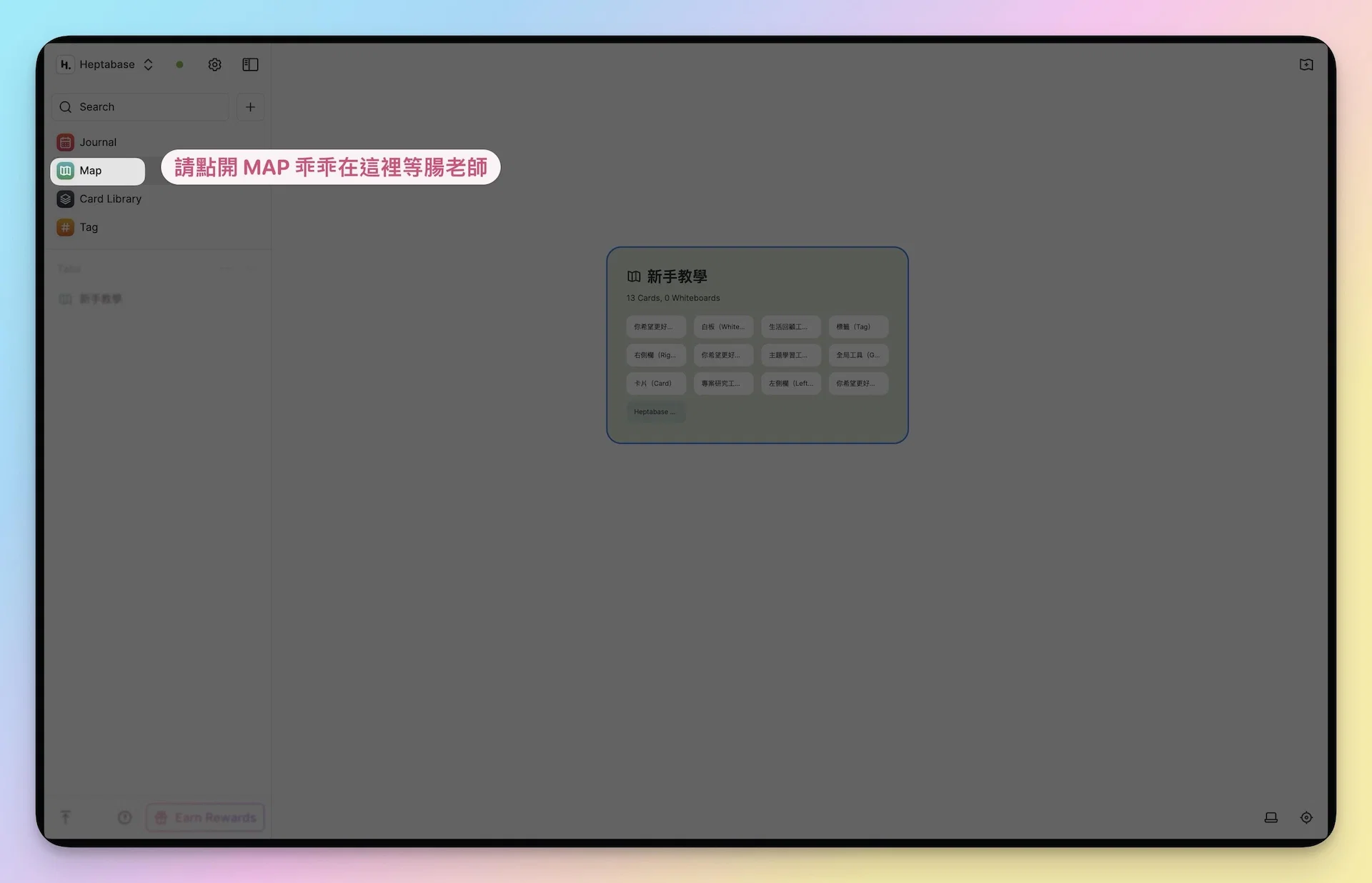
Please open the MAP in the left sidebar of Heptabase. That completes all the pre-work! 😍

Xiaochang🌭 (Yang Ting-ya / Phoebe Yang)
AI Second Brain Application Specialist
Turn knowledge into assets and let experience compound—
Train your First Brain, build your Second Brain (Heptabase), and master your AI Third Brain.
Specializing in Zettelkasten Notes, self-created memory-technique Notes, AI Automation, and AI Agent Systems.
Has coached 2,000+ professionals in building personal knowledge bases.
📩 Gut Talk Newsletter · IG @knowledgegut · Threads @knowledgegut

If you have any questions about the article content, or if there are any parts you'd like me to elaborate on, feel free to leave a comment below and let me know~
Some links in the article are "Affiliate Marketing" links. If you click through and make a purchase, Xiaochang receives a tiny little bit of commission (it won't affect the price).

by Knowledge Management Mentor Xiaochang🌭


 English
 繁體中文
 日本語